A cursive font is a style of typeface where the letters connect to each other in a flowing, handwritten way. Unlike standard fonts, where each character stands alone with clear gaps between them, cursive letters join together with smooth strokes that mimic real penmanship. When you see a cursive font copy paste result in a Free Fire name, you're looking at Unicode characters that render as connected, slanted letterforms on almost any device.
Key takeaways:
- Cursive fonts use connected letterforms that look handwritten
- They work in Free Fire because they're built from Unicode symbols, not custom files
- A cursive text generator converts plain text into these styled characters instantly
- You can copy and paste the result directly into your Free Fire profile
The main difference between a cursive font and a regular one comes down to how the letters are drawn. Standard fonts like Arial or Roboto use separate, upright glyphs. A cursive font slants the letters to the right and links them with connecting strokes, the same way your handwriting flows when you write quickly. This connected style is what gives cursive text its elegant, personal feel. In Free Fire, that personal touch matters because your name is the first thing other players see in the lobby and on the kill feed.
It's worth knowing that what players call a cursive font in Free Fire isn't a font file at all. The game doesn't let you upload custom typefaces. Instead, tools like Free Fire Stylish Name Generator ꧁ Create & Copy FF Names ꧂ swap each letter of your name for a Unicode character that looks like cursive handwriting. The result is a string of connected-looking letters that the game accepts as a normal name. That's why the same cursive font copy paste trick works across Android, iOS, and even in the Free Fire MAX version.
Why Free Fire Players Use Cursive Text
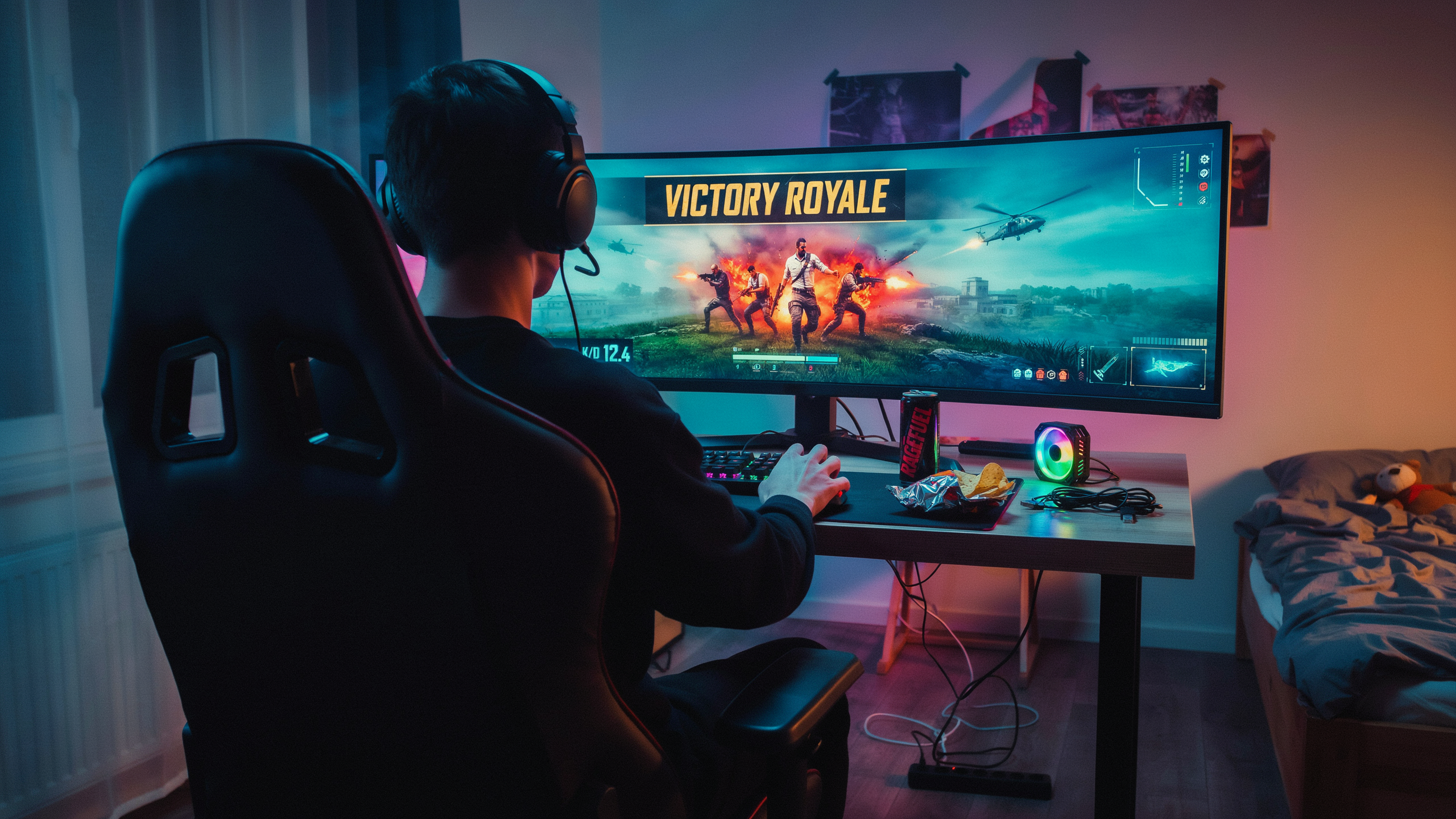
Free Fire lobbies are crowded. Hundreds of players queue up every minute, and most of them have names that blur together: all caps, random numbers, the same few symbols. A cursive font changes that instantly. It makes your name look handwritten, almost like a signature, which stands out against the blocky default text everyone else uses. That visual difference is the main reason players reach for cursive letters in the first place.
There's also a personal style angle. A cursive name feels more deliberate than typing a plain nickname. It signals that you took a few extra seconds to shape how other players see you, whether you're going for something elegant, playful, or just hard to copy. In a game where your name shows up in kill feeds, squad lists, and friend requests, that small touch carries weight.
We see this on namesforfreefire.com all the time. Players paste in a basic name and immediately start testing cursive variations, mixing them with symbols or spacing tweaks until the result feels like theirs. It's not about looking expensive or professional. It's about not looking like a default account.
One honest trade-off: cursive text in Free Fire is purely cosmetic. It won't change your stats, your rank, or how the game treats your account. But for players who care about how their name reads in a match, that cosmetic difference is usually enough.
How a Cursive Text Generator Works

When you type a normal name into a cursive text generator, the tool doesn't actually change the font at all. Free Fire doesn't support custom fonts, so the generator does something smarter: it swaps each standard letter for a Unicode character that looks like cursive handwriting. The letter "a" becomes a script-style "𝒶", the letter "g" becomes "ℊ", and so on. Your device reads these as special symbols, but your eyes see flowing, connected cursive letters.
This character mapping is the whole trick. A good generator keeps a table of matching Unicode symbols for every letter in the cursive alphabet, plus numbers and a few punctuation marks. When you paste the result into Free Fire, the game accepts those Unicode characters because they're valid text, not an actual font file. That's why the output works across Android, iOS, and the desktop emulator without any extra installation.
The process takes less than a second. You type your name, the tool runs the character mapping, and it shows you a preview you can copy. Most generators, including the one at namesforfreefire.com, also offer a few cursive variations so you can pick the style that fits your vibe. Some versions use bold script symbols, others use a lighter handwritten look. The core mechanic stays the same: Unicode substitution, not font embedding.
One thing to keep in mind is that not every letter has a perfect cursive Unicode match. The standard set covers the full cursive alphabet for lowercase and uppercase letters, but a few rare symbols or special characters might not convert cleanly. If a letter looks off in the preview, try a different generator style or swap that character manually. The output is still plain text, so you can edit it character by character before you paste it into your Free Fire profile.
Using Cursive Font Copy Paste in Free Fire
Free Fire's name field accepts most Unicode characters, which is why a cursive font copy paste approach works so well. The process takes under a minute once you know where to look. Open namesforfreefire.com, type your base name into the input box, and the tool instantly renders it in dozens of cursive styles alongside other decorative options like glitch text and fancy symbols.
Pick the cursive style that matches your vibe. Some are flowing and elegant, others are bold and chunky. Tap the copy button next to your chosen style, and the styled text lands on your clipboard. Then open Free Fire, go to your profile, tap the pencil icon next to your current name, and paste. The game accepts up to 12 characters for a name, so count carefully: a single cursive letter often consumes one character slot, but some decorative variants with combining marks can eat two or three. If your styled name exceeds the limit, trim the base text before regenerating.
One thing we've noticed: Free Fire occasionally strips certain Unicode ranges or renders them as boxes on older devices. Test your pasted name in the profile preview before confirming. If it looks broken, try a simpler cursive style from the generator. The Free Fire Symbols Copy and Paste Categories page also lists character sets that tend to render reliably in-game, which helps when you're mixing cursive letters with symbols.
After saving, your new name appears in matches, friend lists, and clan rosters. Keep in mind that name changes cost diamonds after the first free rename, so preview carefully. A clean cursive font copy paste job should look identical in the profile screen and in the kill feed.
The Cursive Alphabet: What You Can Actually Type
Unicode does not have a dedicated cursive font block. What you see in a cursive text generator is a set of mathematical script characters and letterlike symbols that look like handwriting. These are real Unicode codepoints, so they render in Free Fire's chat and name field without any special app.
The cursive alphabet covers most of the basic Latin letters. Uppercase script letters like 𝒜 (U+1D49C), ℬ (U+212C), 𝒞 (U+1D49E), 𝒟 (U+1D49F), ℰ (U+2130), ℱ (U+2131), 𝒢 (U+1D4A2), and ℋ (U+210B) all exist. Lowercase script letters are more complete: 𝒶 through 𝓏 are all defined. That means you can type a full lowercase cursive alphabet without gaps.
But the uppercase set has holes. There is no script uppercase for Q, and a few letters like I and J use codepoints that some devices render as plain text instead of cursive. If you paste a name and one letter looks different from the rest, that is usually why. A good cursive font copy paste tool will either swap in a visually similar character or warn you before you copy.
Digits are trickier. Unicode has bold script digits like 𝟙 (U+1D7D9) and 𝟚 (U+1D7DA), but they are not in the same stylistic family as the script letters. Mixing them can look off. Most players stick to letters only, or use regular digits next to cursive letters.
Some symbols pair well with cursive text. A heart ♥, a star ★, or a crown ♛ after a cursive name reads as intentional styling, not a font glitch. Namesforfreefire.com keeps a curated set of these symbols in its Free Fire Symbols Copy and Paste Categories so you can test combinations without hunting through Unicode charts.
The practical takeaway: lowercase cursive letters are safe, most uppercase letters work, and a few uppercase characters are unreliable across devices. Test your full name in Free Fire's lobby before you commit to it.
Styling Your Free Fire Name with Cursive Letters
Most players dump a full cursive font name into the field and call it done. That works, but it rarely looks clean. The names that stand out in a lobby mix cursive letters with a single symbol or two, not a wall of them. Start with the base name in a readable cursive text generator output, then add one decorative element at the front or back. A single crown or flame before the name reads better than three symbols stacked on each side.
Spacing is the part people get wrong. Cursive letters connect visually, so extra spaces between characters break the flow and make the name look glitchy. Keep the name tight. If you want separation, use one symbol as a divider instead of a space. A dot or a thin vertical bar between two words keeps the cursive feel without the awkward gap.
Capitalization matters more than you'd think. A cursive font copy paste output often defaults to lowercase, which can look soft. Capitalize the first letter of each word for a sharper silhouette. Mixed case inside a single word, like alternating capitals, usually hurts readability in cursive because the letterforms fight each other. Pick one style and stick with it.
Length is the other constraint. Free Fire caps names at 12 characters, and cursive letters tend to be wider than standard ones. A 12-character name in cursive can overflow the display or get cut off in the kill feed. Aim for 8 to 10 characters after you add symbols. Shorter names also leave room for a clean symbol on each side without crowding.
Test the name in a few places before you lock it in. The lobby list, the kill feed, and the profile card all render text slightly differently. What looks balanced in the profile card can look cramped mid-match. Paste the name into a chat message first to see how it actually renders in-game, then adjust the symbols or spacing from there.
Common Problems with Cursive Text in Free Fire
Most issues come down to three things: the game rejecting characters, the 12-character name limit, and names that look great in a preview but turn into mush on a phone screen. Each one has a workaround that doesn't require giving up on cursive letters.
Unsupported characters are the most common headache. Free Fire accepts a wide range of Unicode symbols, but some decorative scripts, especially certain mathematical or enclosed alphanumerics, simply won't render in the name field. The game either strips them out or shows a blank box. The fix is to test your name in a custom room or on a second account before committing. If a character doesn't show up, swap it for a visually similar one from the same Free Fire Symbols Copy and Paste Categories page. Most generators pull from the same Unicode blocks, so a small tweak usually solves it.
Name length is a hard limit. Free Fire caps in-game names at 12 characters, and that count includes spaces and symbols. A cursive font copy paste name with lots of decorative flourishes can eat through that budget fast. A name like "RoyalCursive" is already 12 characters before you add any styling. The workaround is to shorten the base name first, then add one or two cursive letters as accents rather than styling every character. "Rσуαℓ" reads as stylish without burning the whole limit.
Readability is the trade-off nobody talks about. Fancy cursive text looks clean in a generator preview, but on a 6-inch phone screen during a squad fight, it can be hard to read at a glance. Teammates trying to call out your name in voice chat will struggle. The honest fix is to keep the first two or three characters in standard letters and style only the rest. That way the name stays recognizable while still looking custom.
Cursive Font vs Other Stylish Text Styles
Free Fire gives you a 12-character limit for your in-game name, so every choice matters. A cursive font looks elegant and flowing, but it is not the only way to stand out in the lobby. Bold text, italic text, and symbol-heavy names all have their own strengths, and the right pick depends on how you want other players to read your name at a glance.
We tested the main styles side by side to see how they actually behave in the game. The table below sums up what we found.
| Style | Readability in Lobby | Best For | Main Drawback |
|---|---|---|---|
| Cursive font | Medium to high, depending on the exact glyphs | Elegant, personal names and couple tags | Some cursive letters look similar, so short names can blur together |
| Bold text | Very high | Clan tags and aggressive names | Less distinctive, since many players already use it |
| Italic text | High | Subtle styling without losing clarity | Looks plain next to fancier options |
| Symbol-heavy text | Low to medium | Standing out in kill feeds and leaderboards | Hard to read, and some symbols are not supported on all devices |
Bold text is the safest choice if you want your name to be instantly readable during a fast match. It keeps the letters clean and thick, so teammates can call you out without squinting. Italic text adds a slight tilt that feels stylish without sacrificing much clarity. Symbol-heavy names, the kind packed with crowns, wings, and decorative marks, grab attention but often fail on older phones or in certain regions where the game strips unsupported characters.
A cursive font sits in a sweet spot for players who want personality without going full chaos. The flowing letters feel more personal than bold text, and they are usually easier to read than a name buried under five symbols. The trade-off is that some cursive letters, like lowercase "l" and "e", can look similar at small lobby sizes. If your name is short, test it on a phone screen before locking it in.
One practical tip: you can mix styles. A cursive font for the main part of your name plus one or two symbols at the edges gives you the best of both worlds. Just remember the 12-character cap, because symbols count toward it too. When you are ready to build your name, the Free Fire Stylish Name Generator ꧁ Create & Copy FF Names ꧂ tool lets you preview cursive, bold, and symbol options side by side before you copy anything into the game.
Where to Find Reliable Cursive Text Generators
Not every cursive text generator handles Free Fire's input box the same way. Some tools output characters that look fine in a browser but break once you paste them into the game, usually because they rely on private-use Unicode ranges that Free Fire's font engine doesn't render. A reliable generator keeps its output inside the standard Unicode blocks that Free Fire actually supports, so the name displays correctly on your profile, in the lobby, and on the kill feed.
We built Free Fire Stylish Name Generator ꧁ Create & Copy FF Names ꧂ around that constraint. It is a free online tool that lets you type a base name, pick a cursive style, and copy the result without registering or downloading anything. The preview updates as you type, and the copy button puts the styled text on your clipboard in one tap. Because it supports multiple languages, you can use it for English names, Hindi names, or mixed scripts without the output falling apart.
When you compare generators, check three things. First, does the preview match what actually lands in Free Fire? The only way to know is to paste it into the game and look at your profile. Second, does the tool offer a full cursive alphabet, including uppercase and lowercase letters, or just a few decorative symbols? Third, does it let you combine cursive with other styles, like small caps or bubble text, so you can fine-tune the look? A good generator gives you that control without hiding it behind a paywall.
For players who want more than just cursive, our Free Fire Symbols Copy and Paste Categories page groups decorative characters by type, which makes it easier to add a crown or a flame to the end of a cursive name. And if you are styling a whole squad rather than a solo profile, the Clan Name Generator applies the same Unicode-safe approach to team names. Stick with tools that respect Free Fire's character limits and rendering quirks, and your cursive name will survive every update.
Frequently Asked Questions
Does Free Fire support cursive fonts in player names?
Free Fire's name field accepts most Unicode characters, so cursive-style letters usually display fine in profiles, lobbies, and kill feeds. Some older devices render them as blank boxes, but on current Android and iOS versions they work in most cases.
What is the character limit for a Free Fire name?
Free Fire allows up to 12 characters for a player name. Cursive symbols count as one character each, but some decorative fonts use multiple Unicode codepoints per letter, which can eat into that limit faster than you expect.
Is using a cursive font in Free Fire allowed?
Yes. Garena does not ban players for using Unicode text styles in names, as long as the name itself follows community guidelines. Avoid offensive words, impersonation, or symbols that break the game's naming rules.
Why does my cursive name show as boxes on some devices?
Not every device ships with fonts that cover all Unicode ranges. If a friend sees squares instead of cursive letters, their phone lacks the required glyph support. Switching to a more common cursive style usually fixes the display issue.
Can I copy and paste cursive text directly into Free Fire?
Yes. Generate the name in a Free Fire Stylish Name Generator ꧁ Create & Copy FF Names ꧂, tap copy, then paste it into the rename field. The game accepts pasted Unicode text without any extra steps.
Do cursive letters work in clan names and guild tags?
Most clan names accept the same Unicode characters as player names. Guild tags are shorter and sometimes filter decorative symbols, so test a simple cursive style first before committing to a heavily stylized tag.