If you've ever seen a Free Fire name with curvy letters, tiny symbols, or bold characters that look nothing like the standard keyboard, you've already met a fancy text generator. It's a simple online tool that turns ordinary text into stylish, decorative versions you can copy and paste anywhere, from your in-game nickname to your social media bio. We use Namesforfreefire.com because it does exactly that without asking you to register or download anything.
- A fancy text generator swaps plain letters for Unicode characters that look like custom fonts but work anywhere text works.
- You don't need to install anything; just type, tap a style, copy, and paste into Free Fire or any app.
- Stick to one style per name and keep it under 12 characters so it stays readable in the kill feed.
- Some symbols render as boxes on older devices, so test your name in a real lobby before committing.
- Reputable generators don't ask for your Free Fire login; avoid any tool that requests your password.
What Is a Fancy Text Generator?
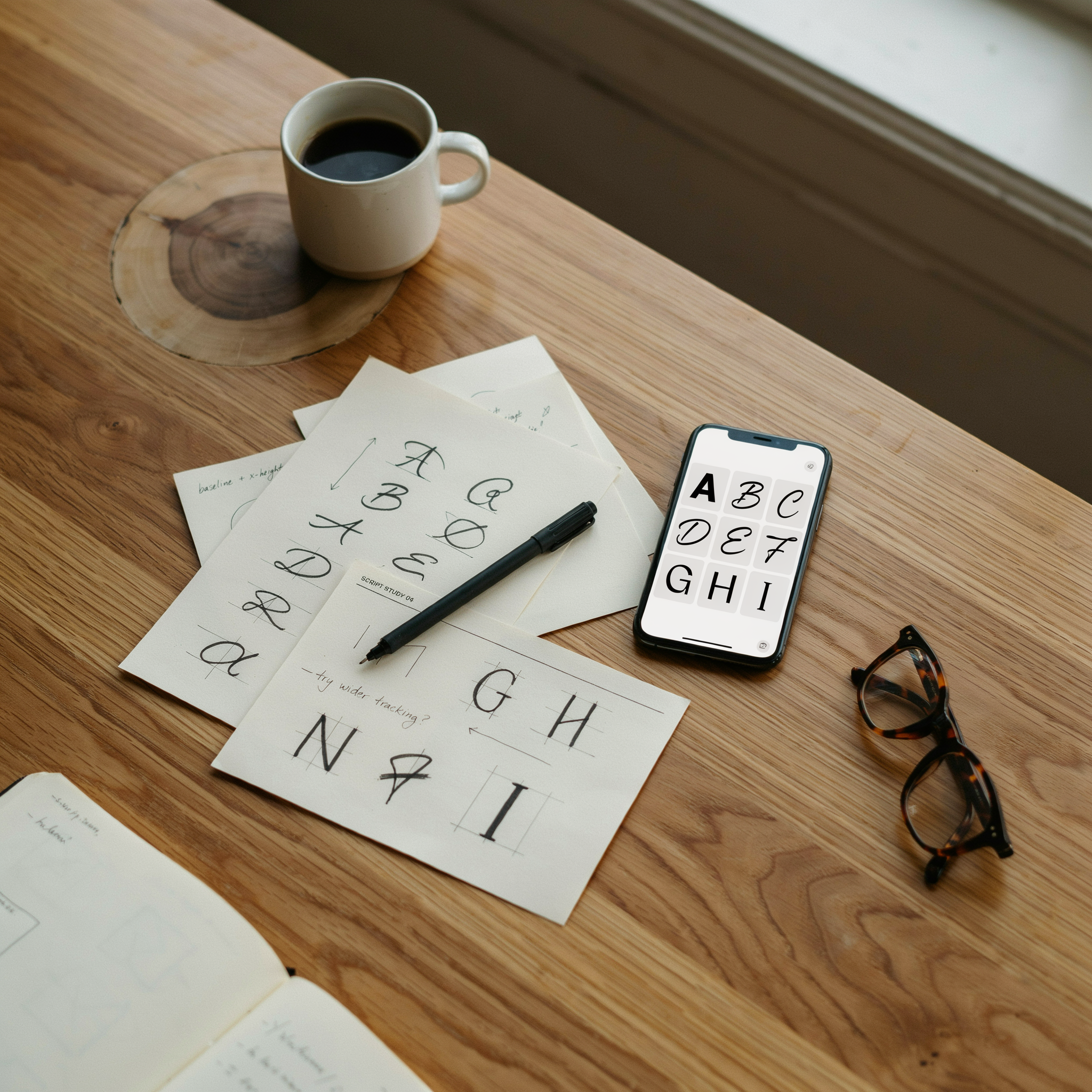
A fancy text generator is a free web-based tool that converts the plain letters you type into a wide range of stylized fonts and symbols. Instead of creating new fonts, it uses Unicode characters, which are the same standard that lets your phone and computer display letters from every language in the world. When you type a normal word like "Free Fire," the generator swaps each letter for a matching Unicode character that looks fancier, such as a script-style letter, a bold letter, or a letter surrounded by decorative marks.
Because the output is still plain Unicode text, not an image or a special font file, it works everywhere text works. You can paste it into Free Fire, WhatsApp, Instagram, YouTube comments, or anywhere else that accepts typed characters. The result looks like a custom font, but underneath it's just a sequence of standard characters your device already knows how to display.
Namesforfreefire.com is a good example of this kind of tool. It lets Free Fire players create stylish in-game names using Unicode symbols, fancy fonts, and decorative characters. It supports multiple languages and offers instant copy-paste functionality without requiring registration. You type a name once, tap the style you like, and the tool copies it to your clipboard so you can paste it straight into the game.
How a Fancy Text Generator Actually Works
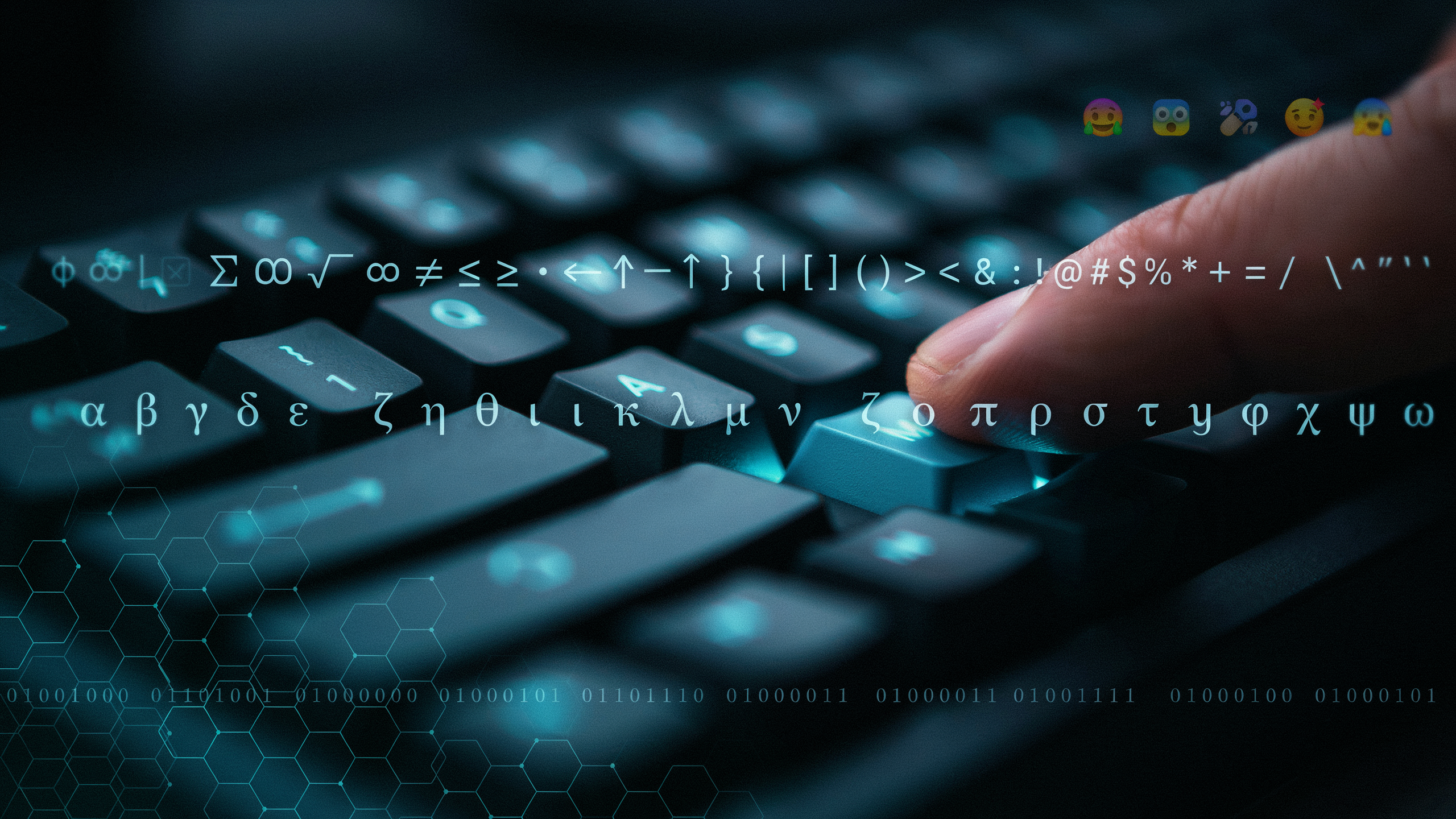
At its core, a fancy text generator isn't producing new fonts at all. It's mapping the letters you type onto special Unicode characters that already exist inside every modern device. When you type a normal "A," the tool swaps it for a mathematical bold capital A or a script letter from a different Unicode block. The result looks like a custom font, but it's really a clever substitution of symbols that your phone, tablet, and computer all recognize natively.
That's why cool fonts copy and paste so reliably across Free Fire, WhatsApp, Instagram, and Discord. A traditional font file would need to be installed on every device that views your name, and most games simply don't support that. Unicode characters, on the other hand, are baked into the operating system itself. When you paste a stylish name into Free Fire, the game renders those characters exactly as they were copied, with no extra installation step and no broken boxes.
We think of it like swapping Scrabble tiles. The board stays the same, but the pieces you place look different. A font generator simply hands you a different set of tiles, ones that happen to look fancier than the standard alphabet. Some styles use fullwidth characters, others use script or double-struck symbols, and a few combine letters with decorative marks. The underlying text is still readable, which is what makes the trick work everywhere.
One practical note: because these are symbols rather than true fonts, search engines and some older systems may not read them as normal letters. That rarely matters inside a game lobby, but it's worth knowing if you ever paste a fancy name into a form that expects plain text. For Free Fire players, the tradeoff is almost always worth it, since the visual payoff is instant and the copy-paste flow takes just a few seconds. You can read more about how Unicode works on the Unicode Consortium's overview page.
Why Free Fire Players Love Stylish Names
Your in-game name is the first thing other players see when you land in Bermuda or Purgatory. In Free Fire, a stylish name does more than look good. It signals that you care about your presence, that you've put thought into your identity, and that you're not just another default-named player running through the lobby. When I scroll through the kill feed and spot a name built with a ff name generator, I immediately assume that player knows what they're doing.
Clans take this seriously. A squad with matching fancy fonts and symbols feels coordinated, even before the match starts. Recognition matters in ranked play, where teammates need to spot each other fast. A distinctive name with a symbol or two helps your squad stand out in the chaos of a hot drop. That's why so many players turn to an ff name generator with symbols to add a crown, a flame, or a skull that matches their playstyle.
There's also a psychological edge. When an opponent sees a name with clean spacing, a bold font, and a well-chosen symbol, they read it as confidence. It's the same reason players spend diamonds on gun skins and emotes. Your name is the one cosmetic that follows you into every single match, every mode, every season. It costs nothing to change, yet it shapes how the lobby perceives you from the first second.
Step by Step: How to Use a Fancy Text Generator
I've watched plenty of players overthink this part, but the whole process takes under a minute once you know the flow. I use Namesforfreefire.com for this because it keeps everything on one screen, and the copy button saves me from fighting with my phone's keyboard. Here's the exact sequence I follow every time I want a new stylish name.
- Open the generator on your phone or PC. Head to Namesforfreefire.com in any browser. No account, no download, no waiting. The tool loads instantly even on a slower connection, which matters when you're mid-squad and want to swap names before the next match.
- Type your base name into the input box. Start with the plain version you already use, like "Raven" or "ShadowKing". The generator treats this as the raw text it will transform. Keep it short at first; long names get visually messy once the fancy characters stack up.
- Browse the generated styles. The page instantly shows dozens of variations: cursive scripts, bold outlines, glitch effects, bubble letters, and names wrapped in symbols like crowns or flames. Scroll slowly and tap any style you like to preview it at full size.
- Tap the copy button next to your favourite. This is where Namesforfreefire.com saves real time. One tap copies the styled text to your clipboard, complete with all Unicode characters. You don't need to select the text manually or worry about missing a hidden symbol.
- Paste it into Free Fire. Open the game, go to your profile, tap the rename option, and long-press the name field to paste. Free Fire accepts most Unicode symbols, so the fancy text should appear exactly as you saw it. If the game rejects a character, go back and pick a style with fewer decorative marks.
- Confirm and test in a lobby. After saving, check how the name looks above your character in a match. Some styles read beautifully in the profile screen but become hard to read in the kill feed. If that happens, repeat the process with a cleaner font.
That's the whole workflow. I've used this exact method to create names for my main account, my smurf, and even a clan tag, and the copy-paste step has never failed me. The key is starting with a base name you already like, then letting the generator do the styling work.
Popular Fancy Font Styles You Can Copy and Paste
When I first started experimenting with a fancy text generator, I was surprised by how many distinct styles were available. Each one changes the mood of your Free Fire name completely. Some feel elegant, others feel aggressive, and a few are just plain fun. Here are the styles I reach for most often, along with what they do visually.
- Cursive
- Flowing, connected letters that mimic handwriting. Cursive adds a soft, personal touch and works beautifully for names that feel romantic or mysterious. It reads well at small sizes but can get hard to parse if your name is long.
- Bold
- Thicker strokes that make your name pop in the kill feed and on the leaderboard. Bold is my default when I want visibility without changing the letter shapes too much. It pairs well with almost any other style.
- Gothic
- Sharp, angular letterforms with a dark, medieval feel. Gothic suits aggressive or edgy names and tends to stand out in lobbies. The tradeoff is readability, especially on smaller screens.
- Bubble
- Rounded, inflated letters that look playful and approachable. Bubble text feels friendly and works great for casual or humorous names. It's less common in competitive play, which can make it feel more unique.
- Small caps
- Uppercase letters rendered at lowercase height. Small caps give a clean, understated look that feels professional without shouting. I like it for names that need to look sharp but not flashy.
If you want a quick side-by-side comparison, this table breaks down the practical differences I've noticed after testing dozens of names with a ff name generator.
| Style | Best mood | Readability | Best for |
|---|---|---|---|
| Cursive | Elegant, mysterious | Medium | Short, romantic names |
| Bold | Confident, loud | High | Competitive play |
| Gothic | Dark, aggressive | Low to medium | Edgy or clan names |
| Bubble | Playful, friendly | High | Casual or funny names |
| Small caps | Clean, sharp | High | Minimalist names |
One thing I've learned is that combining styles rarely works well. A cursive letter followed by a gothic letter looks messy, not stylish. Pick one style and commit to it. If you're unsure, test your name in a few different styles using a ff name generator with symbols and see which one feels right in the actual game lobby. The best fancy text is the one that still reads as your name at a glance.
Choosing the Right Style for Your Free Fire Name
Picking a name is the fun part, but the wrong style can make it useless in a match. We always start with readability. If your squad can't type your name to add you, or enemies can't call you out in voice chat, the fancy symbols are working against you. A name like 𝕯𝖗𝖆𝖌𝖔𝖓 looks cool on a screenshot, but if it takes three seconds to parse, you lose the instant recognition that makes a name feel iconic. The best ff name generator options balance flair with clarity, so test your pick by showing it to a friend for two seconds and asking them to read it back.
Length matters more than most players realize. Free Fire caps character counts differently across regions and updates, and every decorative symbol counts as a character. A stylish text generator can produce a 20-character masterpiece that gets cut off on the kill feed or the friends list. We recommend keeping the core name under 12 characters, then adding one or two symbols as accents rather than building the whole name from them. That way the name survives every UI element without turning into a mess of boxes on older devices.
Your style should also match how you play. Aggressive rushers often lean into sharp, angular fonts and symbols that feel fast and dangerous, while support players and snipers tend to pick cleaner, calmer styles. There's no wrong answer, but consistency helps your name stick in people's memory. If you change your style every week, nobody remembers who you are. Pick something that feels like you, then commit to it for at least a full ranked season.
When you're ready to experiment, ff name generator with symbols tools let you preview dozens of cool fonts copy and paste in seconds. We always test a name in a real lobby before finalizing it, because some fonts render perfectly in the generator but break inside the game's chat or profile screen. A quick test costs you nothing and saves you from a name that looks broken to everyone else.
Fancy Text on Different Devices and Platforms
We've tested fancy text on a range of phones, and the experience is mostly consistent between Android and iOS. Both platforms render Unicode symbols and fancy font characters correctly in the Free Fire name field, so a stylish name created on one device usually looks identical on the other. The main difference shows up in system menus and chat previews, where some older Android builds fall back to a basic font if the fancy character set isn't fully supported. On iOS, the fallback is less common because Apple ships a wider default Unicode coverage.
Free Fire itself accepts most Unicode symbols and fancy text characters in the name field, but there are practical limits. The game reserves certain characters for internal use, and extremely long names can get cut off on the scoreboard. We recommend keeping the name under 12 characters when using heavy decorative symbols, because the game's UI scales the text down and some symbols become unreadable at small sizes. If a symbol shows as a blank box or a question mark, it means the device's system font doesn't include that glyph. Switching to a more common symbol from the ff name generator with symbols collection usually fixes the problem without changing the overall style.
When you copy a fancy name from a browser and paste it into Free Fire, the clipboard preserves the Unicode characters correctly on both Android and iOS. The only time we see issues is when a third-party keyboard app tries to convert the fancy text back to plain letters, which can happen if the keyboard has aggressive autocorrect. Pasting directly from the game's text field avoids that. For players who switch between devices, we suggest testing the name on the lowest-end phone you own, because that's where fallback font problems appear first.
Limitations and Common Mistakes to Avoid
Fancy text is fun, but it has real limits. Free Fire enforces a 12-character maximum for in-game names, so even the most beautiful styled name gets cut off if you go over. Many players paste a long decorative name and wonder why it breaks. Count every symbol, letter, and space before you commit.
Some Unicode symbols look perfect in a browser but turn into empty boxes or question marks inside the game. This happens when the game's font doesn't support that specific character. A ff name generator with symbols can help you test which characters survive, but the safest approach is to stick with widely supported symbols like stars, hearts, and simple arrows.
We also see players copy text from a ff name generator and paste it into a chat or social bio, then assume it will work everywhere. It won't. Different platforms use different fonts, and some strip fancy characters entirely. Always test your styled name inside Free Fire before you finalize it.
One more mistake: using too many styles at once. Mixing cursive, bold, and symbols into a single name makes it hard to read and can trigger the game's profanity filter. Keep it clean and legible, and your fancy text will actually look good in the kill feed.
Frequently Asked Questions
How do I copy and paste fancy text?
Type your name into the generator, scroll through the styled previews, and tap the one you like. Most tools copy it to your clipboard instantly, so you can paste it straight into Free Fire or any chat app without extra steps.
Do fancy text names work in Free Fire?
Yes, most Unicode symbols and fancy fonts work in Free Fire nicknames. Some special characters may be blocked, but the common styles you find on a ff name generator are tested and accepted by the game.
Is using a fancy text generator safe?
Reputable generators are safe because they only convert text into Unicode characters. They don't require your Free Fire login or personal details. Avoid any tool that asks for your password or game credentials, as that's a red flag. For more on how we handle data, see our privacy policy.
Why does my fancy name look different on some devices?
Different phones and apps render Unicode symbols slightly differently. A name that looks perfect on Android may show boxes or gaps on iOS. Test your chosen style in the game before committing to it permanently.
Can I use fancy text in my Free Fire clan name?
Yes, the same copy and paste method applies to clan names. Use a clan name generator to find a base name, then add stylish symbols to make your squad stand out in the lobby.