A fancy text generator turns plain letters into stylish Unicode characters that work in Free Fire names. We built namesforfreefire.com so players can copy a decorated name in one tap, no registration and no downloads. The tool swaps standard A-Z letters for special glyphs from the Unicode standard, which means the result is real text, not an image or a font file.
Here's the part that surprises most players: Free Fire doesn't actually support custom fonts. The game reads whatever text you paste into the name field as plain characters. A fancy text generator works by mapping each letter you type to a visually similar Unicode symbol. For example, a regular "a" can become a mathematical script a or a circled a. The game renders those symbols because they're part of the same character set every phone already understands.
That's why the output survives in the kill feed, on the loading screen, and in friend lists. It's not a trick that only shows on your screen. Other players see the same fancy name because their devices are drawing the same Unicode glyphs.
We use this exact approach on namesforfreefire.com. You type a name like "Shadow", pick a style from the preview grid, and tap copy. The tool has already converted every letter to its Unicode equivalent. Paste it into Free Fire and the name looks bold, cursive, or decorated with symbols, depending on the style you chose. No app install, no account, no waiting.
Key Takeaways
- A ff name generator turns plain text into bold, cursive, and symbol-styled names for Free Fire.
- Paste your base name, pick a style, and copy the result straight into the game's name field.
- Free Fire allows up to 12 characters, so short names leave more room for decorative symbols.
- Not every symbol renders in the kill feed; stick to common Unicode characters that the game supports.
- You can also use a symbols page to add flair without breaking the name.
How to Use a Fancy Text Generator for Free Fire

We use a ff name generator like the one at namesforfreefire.com because it skips the guesswork. You type a base name, pick a style, and copy the result. No registration, no downloads. The whole thing takes under a minute once you know the flow.
Start by typing your current name or a word you want to style into the input box. Keep it short. Free Fire caps names at 12 characters for most regions, and symbols count toward that limit. If your base name is already long, the fancy version will get cut off.
Next, browse the style options. The tool groups them by look: bold, cursive, small caps, upside down, and ones with decorative symbols. Tap a style and the preview updates instantly. You'll see exactly what your name looks like before you commit. We usually try three or four styles and compare them side by side.
When you find one you like, hit the copy button. The styled text goes to your clipboard. Then open Free Fire, go to your profile, and tap the edit icon next to your name. Paste the copied text into the name field. If the game rejects it, the style probably uses characters Free Fire doesn't support. Go back and pick a simpler style.
One thing we learned the hard way: some Unicode symbols look fine in the generator but render as blank boxes in the game. Stick to styles marked as Free Fire compatible. The tool flags these, so you don't waste rename cards. And remember, you can always change your name again later if the style doesn't feel right in the kill feed.
Bold, Cursive, and Cool: Picking the Right Font Style
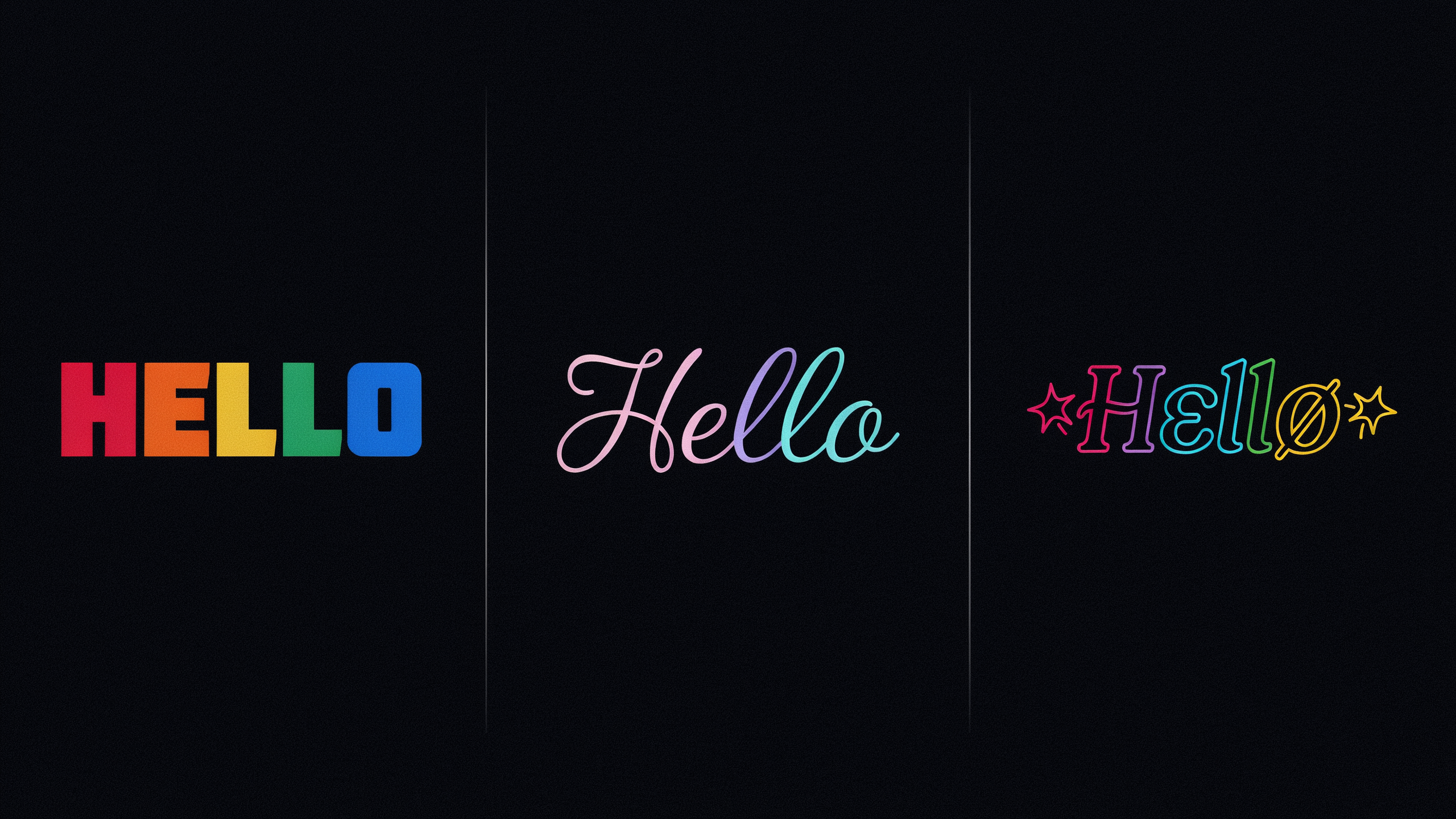
Free Fire names show up in the kill feed, on the leaderboard, and in squad invites. The font style you pick changes how other players read your name at a glance. A bold text generator gives you thick, heavy letters that stand out in the kill feed. Cursive font styles look handwritten and elegant, but they can be harder to read on smaller screens. Cool font styles cover everything else: glitchy, boxed, circled, or decorated with symbols.
Bold is the safest choice if you want your name to be readable from across the room. The letters are thicker, so they don't get lost in the chaos of a match. When someone spectates you, a bold name pops against the background. It also works well with short names. A name like "RAVEN" in bold reads instantly. A long name in bold can feel heavy, so keep it to eight characters or fewer.
Cursive font gives your name a personal, almost signature-like feel. It looks great in profile screenshots and clan banners. The trade-off is legibility. Some cursive styles use connected letters that blur together at small sizes. If your name has an unusual spelling, cursive can make it harder for teammates to type your ID. Test it in the game's preview before you commit.
Cool font styles are where most players experiment. These include boxed letters, circled characters, upside-down text, and styles with small symbols attached to each letter. They look flashy in the kill feed, but too many decorations can make your name unreadable. A good rule is to pick one cool font style and stick with it. Mixing three different styles in one name usually looks messy.
Here's a quick comparison of the three main styles:
| Style | Best For | Readability | Example Feel |
|---|---|---|---|
| Bold | Kill feed visibility, short names | High | Strong, direct |
| Cursive | Profile screenshots, clan banners | Medium | Elegant, personal |
| Cool | Standing out, themed names | Low to medium | Flashy, unique |
You don't have to commit to one style forever. Free Fire lets you change your name with a rename card, so you can try a bold style for a season and switch to a cursive font later. The key is to match the style to how you actually play. If you're a rusher who wants your name seen in every fight, bold is the move. If you care more about your profile page than the kill feed, a cursive font or a cool font style with light decorations works better.
Why Some Symbols Work and Others Don't
Free Fire doesn't accept every Unicode character you paste into the name field. The game's text engine supports a specific subset of symbols, mostly Latin-based letters with diacritics, Greek and Cyrillic lookalikes, and a handful of decorative marks. When you use a fancy text generator, it pulls from this supported range, so the output usually renders correctly in the lobby and kill feed. But if you grab a symbol from a random forum or copy an emoji that isn't in Free Fire's font set, you'll see a blank box or a question mark instead of the character you wanted.
Some symbols fail because they belong to scripts the game never loaded, like Devanagari or Thai. Others are technically valid Unicode but sit outside the narrow block Free Fire's font covers. The safest approach is to stick with characters that look like normal letters, such as "𝕾𝖙𝖞𝖑𝖎𝖘𝖍" or "ꜱᴛʏʟɪꜱʜ", because those map cleanly to the Latin alphabet. A symbols page filters out the unsupported ones before you copy anything, which saves you from testing dozens of broken characters one by one.
Free Fire also caps the total byte length of a name, and some fancy symbols take up more space than a regular letter. A name that looks short on screen might still hit the limit because each decorative character counts as multiple bytes. If your name gets cut off or rejected, try swapping a few complex symbols for simpler ones. The rule of thumb: if it renders in the preview box on namesforfreefire.com, it will almost certainly render in the game.
Character Limits and What Fits in a Free Fire Name
Free Fire caps in-game names at 12 characters, and that limit counts every single symbol, letter, and space you paste. A fancy text generator doesn't bypass the cap. It just helps you fit more style into those 12 slots. We've seen players paste a 15-character name from a font generator and wonder why it got cut off. The game truncates anything past 12, so the last few symbols vanish.
Unicode is the tricky part. Some fancy characters look like one glyph but actually count as multiple code points. For example, a letter with a combining accent mark can take two slots even though it renders as one visual character. The same goes for certain emoji and decorative symbols. If you're not sure, paste your generated name into a plain text counter before you spend the rename card. Most counters show both visual length and code point length. You want the code point number to stay at 12 or under.
Shortening a stylish name without losing the look usually means dropping vowels or replacing a two-character symbol with a single-character alternative. For instance, you might swap "ツ" for a simple "z" if you're one slot over. Another trick is to use a symbols page that previews the character count as you type. That way you see exactly what fits before you commit.
We also keep a list of single-character Unicode symbols that survive Free Fire's filter, which helps when you're one or two slots short. The key is to test in a text counter first, not in the game's rename box, because the game won't warn you before it truncates.
Fancy Font Styles That Look Good in the Kill Feed
When you're mid-fight, the kill feed scrolls fast. A name that's too ornate turns into a blur of boxes and question marks. The best fancy font style for Free Fire keeps its shape under pressure. Think bold, slightly curved, or accented with one clean symbol. Not a wall of tiny glyphs.
Bold text is the safest bet. It reads instantly, even on a phone screen at a glance. Pair it with a simple underline or a single star on each side and you get style without sacrificing clarity. Cursive fonts are trickier. A flowing script can look elegant in a profile screenshot, but in the kill feed it often collapses into a wavy line that's hard to parse in half a second. If you love the cursive look, test it in a custom room first. Watch how it renders when someone else gets eliminated.
We've seen players use a ff name generator to preview styles before committing. That's smart. The preview shows the exact Unicode characters, so you can spot which ones might break in-game. Some symbols render fine in the lobby but fail in the kill feed because the game's font doesn't include them. A quick test saves you from a name that looks broken to everyone else.
Cool fonts with heavy styling, like double-struck or upside-down text, are fun but risky. They work in chat and on your profile, but the kill feed uses a narrower character set. If a character isn't supported, it shows as a blank box. That defeats the purpose. Stick to styles that use common Unicode blocks: basic Latin, Latin-1 supplement, and a few well-supported symbols like stars, hearts, and arrows.
One more trade-off: length. A fancy font style often adds visual width even if the character count stays the same. A name that fits in the lobby might get cut off in the kill feed. Keep it short. Two words max. Let the style do the work, not the length.
Using a Font Generator for Other Platforms
A ff name generator built for Free Fire does not stop working when you leave the lobby. The same fancy text generator that gives you a stylish in-game name can dress up your Instagram bio, WhatsApp status, or Discord display name. The process is identical: type the text, pick a style, copy, paste.
Instagram is where most players first test the tool outside Free Fire. A bio with a cursive font or a bold font stands out in a sea of plain text, and since Instagram bios support Unicode, the fancy font style carries over perfectly. WhatsApp works the same way for statuses and group names, though the app sometimes strips certain decorative symbols on older Android versions. Discord is the most flexible of the three because it accepts nearly every Unicode character a font generator produces, so you can use the same fancy text for your server nickname that you use in Free Fire.
The key difference is character limits. Free Fire caps names at 12 characters, but Instagram allows 150 for a bio, WhatsApp statuses allow 139, and Discord nicknames allow 32. That means you can use longer, more elaborate fancy font styles on social platforms than you can in the game. A font generator handles all of these limits automatically by showing you exactly what fits, so you never have to count characters yourself.
One thing to watch: some platforms filter out certain Unicode ranges. Instagram and Discord are generally safe, but WhatsApp occasionally blocks symbols that look like emoji or that are used for spoofing. If a fancy text style doesn't paste correctly, try a different style from the same generator. It's a minor annoyance, not a dealbreaker, and it's the only real difference between using the tool for Free Fire versus using it elsewhere.
Common Mistakes When Using a Fancy Text Generator
Most problems with a fancy text generator come down to three simple errors. The first is pasting the styled name into the wrong field. Free Fire has separate boxes for your in-game name and your profile nickname, and they behave differently. If you paste a fancy font style into the nickname field, it may show up on your profile card but not in the kill feed or squad list. Always paste the generated text into the exact field where you want it to appear, then check it in a practice match before committing.
The second mistake is copying invisible characters along with the visible ones. Many fancy text generators add zero-width spaces or other hidden Unicode characters to make the text render correctly in certain apps. When you paste that into Free Fire, the game may count those invisible characters toward your name length, or worse, reject the name entirely. To fix it, paste the generated text into a plain text editor first, then copy only the characters you can see. If the name still fails, try a simpler style from the same font generator.
The third issue is using symbols that Free Fire doesn't support. Some decorative characters look fine in a browser but break inside the game client. If your name shows as blank boxes or question marks, switch to a different symbol set. The symbols page lists which characters are safe to use, and sticking to those avoids most display problems.
One more thing: don't stack too many styles. Combining bold, cursive, and special characters in one name often makes it unreadable in the kill feed. Pick one or two effects and keep the name short enough to read at a glance.
Is It Allowed? Free Fire's Rules on Special Characters
Garena's terms of service don't explicitly ban special characters in names, but they do prohibit names that are misleading, offensive, or impersonate staff. Unicode symbols and fancy fonts from a ff name generator are generally tolerated, though there's a real risk of a name reset if the system flags it during an update or report.
We've seen players keep stylized names for months, and we've also seen sudden resets after a patch. The safest approach is to avoid characters that mimic official Garena formatting or make your name hard to search. If you're worried, stick to a symbols page that uses common Unicode ranges, not obscure private-use characters that may render as boxes on some devices.
There's no official whitelist, and support won't restore a reset name. Our advice: use a fancy text generator for style, but keep the core name readable. The risk is low, not zero. For more details on what's allowed, check the Unicode Consortium's FAQ to understand how these characters work across platforms.
Frequently Asked Questions
Can I use a fancy text generator for my Free Fire name?
Yes. Free Fire allows many Unicode symbols and special characters in player names, and a fancy text generator gives you copy-ready styles instantly. Just keep the name within the 12-character limit and avoid symbols that the game blocks. Most players use bold or cursive looks without any issue.
Why do some fancy symbols show as boxes in Free Fire?
Boxes appear when the game's font does not support that specific Unicode character. Free Fire renders a limited set of symbols, so a character that works in a browser may not display in-game. Stick to symbols from a generator built for Free Fire, like the ones on namesforfreefire.com, to avoid blank squares.
Does a fancy name affect my Free Fire account?
No. Changing your display name with a fancy font style does not affect your account progress, ID, or rank. The name is cosmetic only. As long as you follow Free Fire's naming rules and avoid offensive content, you can switch styles as often as the rename system allows.
How do I copy a fancy name into Free Fire?
Open the fancy text generator, type your base name, and tap the style you like. The tool copies it to your clipboard automatically. Then go to your Free Fire profile, tap the edit icon next to your name, paste the text, and save. Some devices require a long-press paste if the quick paste fails.
Will a fancy name work on other games or apps?
Usually, yes. Most apps that accept Unicode text will display bold, cursive, or cool font styles. However, some platforms filter special characters or have stricter name rules. Test the name in a private chat or a secondary account before committing, especially if you play multiple games with the same nickname.