A font generator is a simple online tool that converts plain text into stylish, decorative lettering styles you can copy and paste anywhere. For Free Fire players, it means turning a boring default name like "Alex" into something like "𝓐𝓵𝓮𝔁" or "꧁༺Alex༻꧂" in seconds. It's the fastest way to stand out in the lobby without learning any design skills.
Key takeaways:
- A font generator transforms standard text into Unicode symbols, fancy letters, and decorative styles.
- Free Fire players use it to create unique in-game names that reflect personality and style.
- Most tools are free, browser-based, and require no downloads or sign-ups.
- You can copy the styled text directly into Free Fire's name field.
- Using a ff name generator alongside a font tool gives you even more creative options.
When you first start playing Free Fire, you'll notice that top players in your squad all have names with special characters, bold letters, or tiny symbols around them. They're not using secret software. They're just pasting text from a font generator. The tool itself is not magic: it works by mapping each letter of your text to a matching Unicode character from a different alphabet or symbol set. For example, the letter "A" can become "𝔸", "𝓐", "卂", or "ᗩ", depending on the style you pick. Because Free Fire accepts Unicode characters in the name field, these styled names display correctly in the game.
In a battle royale, your name is the first thing enemies and teammates see. A unique name makes you memorable, helps you build a personal brand, and sometimes even intimidates opponents before the match starts. A good font generator gives you access to dozens of styles, from gothic and cursive to glitch and bubble letters, so you can switch your identity as often as you change your outfit in the game.
How a Font Generator Works: The Simple Mechanics
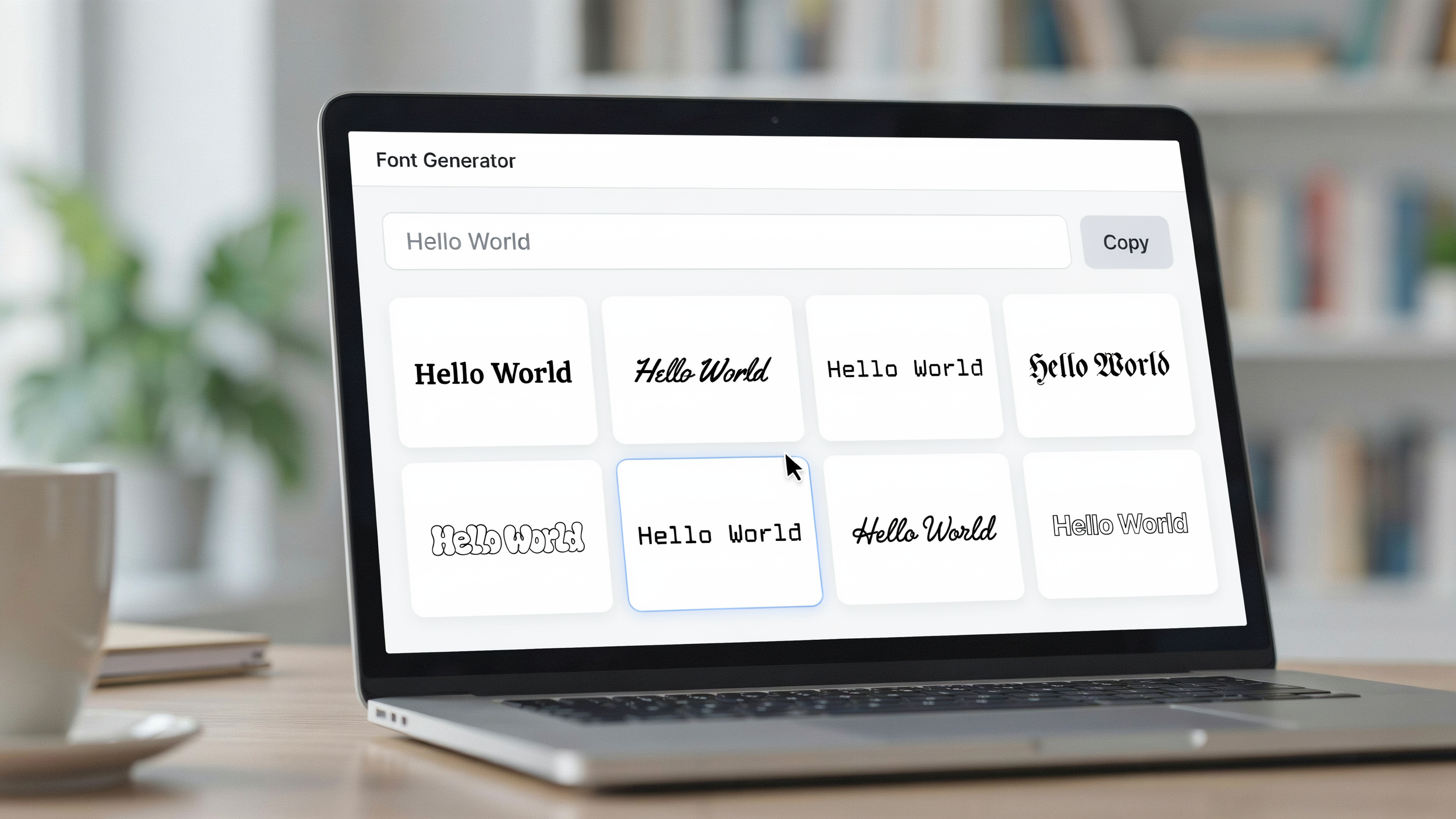
When you first start messing with stylish Free Fire names, you might assume a font generator is creating actual new fonts on the fly. That's not quite right. What it really does is swap your plain letters for special Unicode characters that just look like fancy fonts. Your keyboard types standard A to Z, but Unicode has thousands of extra symbols, like mathematical bold letters, script characters, and circled digits. A font generator maps each letter you type to one of these visually distinct Unicode equivalents, then hands you back a string that still reads as your name but looks completely different in the game.
Here's the simple flow: you type a name like "Shadow" into the input box, the tool runs a character-by-character lookup against a style table, and the output shows something like "𝕊𝕙𝕒𝕕𝕠𝕨" or "ꜱʜᴀᴅᴏᴡ". You copy that result and paste it into Free Fire's name field. Because Free Fire accepts Unicode text in the name box, the styled version displays correctly in matches, on the leaderboard, and in your profile. That's why a font ff tool works so reliably: it never installs a custom font file on your device, so there's nothing for the game to reject. The characters are already part of the standard Unicode set that every modern phone and PC can render.
One thing to learn early: not every Unicode style survives Free Fire's name filter. Some symbols, like certain emoji or combining marks, get stripped or cause the name to fail validation. A good font generator avoids those problematic characters and sticks to safe ranges that Free Fire consistently accepts. That's the real value of a dedicated tool over manually copying random Unicode from a chart. It does the filtering for you, so the name you see in the preview is the name that actually shows up in the game.
Step-by-Step: Creating Your First Stylish Free Fire Name
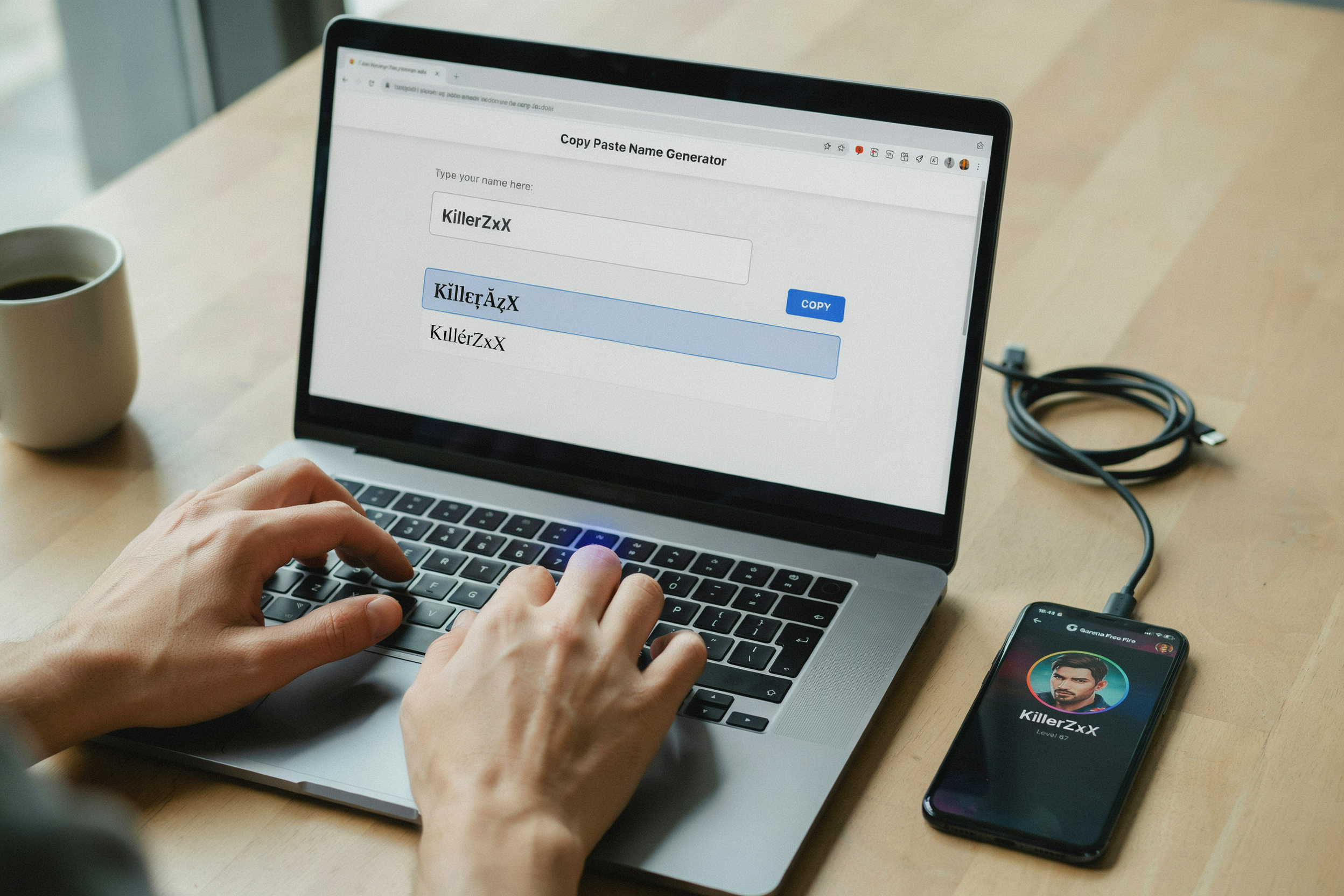
Typing "Raven" feels plain, but running it through a font generator takes about thirty seconds. Here is the exact process, and it works whether you are on mobile or desktop.
- Open a font generator you trust. Start with the one on namesforfreefire.com because it loads fast and does not ask for your Garena login. You do not need an account to preview styles.
- Type your base name. Keep it short, under 12 characters is ideal. Free Fire displays names in a small box, and long names get cut off. Type "Raven" for this example.
- Browse the generated styles. The tool shows your name in dozens of fonts: cursive, bold, gothic, bubble, and symbols. Scroll slowly. Some styles look great in the preview but become unreadable in the kill feed.
- Tap or click the style you like. This copies the styled text to your clipboard automatically. If it does not, long-press the text and select copy. Paste it into a note first to double-check the symbols survived.
- Paste it into Free Fire. Open the game, go to your profile, tap the edit icon next to your name, and paste. Free Fire charges diamonds for a name change, so make sure you are happy before confirming.
- Test it in a match. Play one casual game and look at your name in the kill feed and on the scoreboard. If the symbols break or the name looks like boxes, go back and pick a simpler style. A fancy script can render as "????" on a friend's phone.
A practical example: type "Raven" and the generator offers "ℜ𝔞𝔳𝔢𝔫", "꧁Raven꧂", and "R∆VEN". The first one looks clean in the preview but disappears in the kill feed. The second one works everywhere. If you are making a name for a squad, the same steps apply, but you might want to coordinate styles. Use the clan name generator on the same site to make sure all four of you have matching fonts, which looks intimidating in the lobby. One more tip: avoid emojis in your name. They work in the preview but often show as blank squares in the actual game. Stick to letters, numbers, and the symbols the generator provides. That way your stylish name survives every device your friends play on.
Popular Font Styles You Can Generate Right Now
Once you start playing with a font generator, the first thing you notice is how many directions you can go. The styles below are the ones seen most often in Free Fire lobbies, and each one changes the feel of your name completely. A cursive name reads as smooth and confident, while a gothic name feels heavy and intimidating before the match even starts. The right choice depends on the vibe you want to project, and the best part is you can switch styles between matches without losing your account progress.
Test three or four styles before committing. What looks great in a preview box can look different in the kill feed, where the text is smaller and the background is busy. A ff name generator that shows a live preview on a dark background gives you a much better sense of how the name will actually appear in game. Some styles are more readable than others at small sizes, and readability matters when your squad is trying to call out your position.
| Font Style | Visual Feel | Best Use Case in Free Fire |
|---|---|---|
| Cursive / Script | Flowing, elegant, personal | Names that feel like a signature, especially for players who want a stylish but not aggressive identity |
| Bold / Heavy | Thick, solid, high contrast | Names that need to stand out in the kill feed and on the leaderboard |
| Gothic / Blackletter | Sharp, medieval, intimidating | Clan tags and names meant to project dominance or a dark aesthetic |
| Symbol / Decorated | Playful, crowded, eye-catching | Names with hearts, stars, crowns, or other Unicode symbols around the letters |
| Small Caps / Superscript | Compact, subtle, modern | Names that look clean and minimal, often paired with a short clan tag |
Symbol fonts deserve a special mention because they are the most divisive. A name like ꧁༺Shadow༻꧂ definitely gets attention, but it can also be hard to read in a fast-paced match. Use symbols as accents rather than wrapping every letter, unless you are going for a deliberately chaotic look. The same logic applies to font ff styles that mix multiple fonts in one name: a little contrast is stylish, too much becomes noise.
Gothic and bold styles are the most popular among players who want to look like a threat before the drop. These styles hold up well in the kill feed because the letterforms stay distinct even at small sizes. Cursive styles, on the other hand, can blur together when the feed scrolls fast, so they're better for players who care more about their profile screen than their in-match visibility. If you are building a name for a clan name generator project, bold or gothic styles tend to unify a squad better than cursive, which can look mismatched across different devices.
One more thing worth knowing: most font generators let you copy the styled text with a single tap, but the underlying characters are still Unicode. That means the style travels with the name when you paste it into Free Fire, and it will render the same way for other players as long as their device supports those characters. If a style shows up as blank boxes for a teammate, that usually means their device lacks the font support, not that the generator broke. Testing with a friend before you commit is a smart move.
Choosing the Right Tool for Your Needs
When you test a ff name generator, look at three things before trusting it with your in-game identity: preview speed, style variety, and how well it behaves on a phone. Free Fire is a mobile game, so a font generator that forces you to pinch-zoom a desktop layout is already losing. The best tools render your test name instantly as you type, not after a page reload, because you will tweak a style twenty times before you settle on one.
Style variety matters more than raw count. A tool with 300 fonts but only five that actually look good in a Free Fire kill feed is worse than one with 40 curated styles. You want at least one clean gothic, one cursive that does not break the game's character limit, and a few symbol-heavy options that survive the in-game font filter. The font ff page on namesforfreefire.com gets this right: every style is tested against Free Fire's actual rendering, so you are not pasting a name that turns into boxes on someone else's screen.
Mobile friendliness is non-negotiable. The tool should let you type, copy, and paste without leaving the browser, and the copy button must work with one thumb. If you have to select text manually on a small screen, close the tab. Preview speed ties into this: a font generator that lags on a mid-range Android phone is useless in the lobby when you want to change your name before a squad match starts.
One more factor to weigh: does the tool respect Free Fire's naming rules? A good generator warns you when a style uses characters the game rejects, instead of letting you paste a broken name and blame the game. That practical filter is why namesforfreefire.com beats hunting through random search results. For a broader look at how Unicode text works across platforms, the Unicode Consortium's FAQ explains why these characters render consistently on most devices.
Tips for Making Your Free Fire Name Stand Out
Names that get the most reactions in ranked lobbies share one trait: they are readable at a glance. A ff name generator can hand you a dozen stylish options in seconds, but the real skill is knowing which one to pick. Start by combining no more than two visual tricks. A single symbol like a crown or flame paired with a clean font reads as intentional, while a name packed with five different glyphs looks like a captcha. Always preview the name on a dark background because Free Fire's kill feed uses dark panels, and some fancy fonts disappear against them.
Testing in-game is the step most players skip. Generate a shortlist of three names, then ask a squadmate to read each one aloud after a match. If they hesitate or mispronounce it, cut it. The best names are the ones that survive a quick glance during a hot drop. A good font ff style should also match your playstyle. If you main an aggressive rusher, a sharp angular font fits better than a curly script. Your name is part of your in-game identity, so it should feel like you.
One trick that works constantly: pair a stylish font with a simple clan tag. The contrast makes both parts pop. For example, a bold gothic font for your main name plus a clean three-letter tag in plain text. This also helps teammates call you out quickly during rotations. And do not forget to test the name on the actual login screen, not just the generator preview. Some symbols render perfectly on a website but break in the game client. If you are stuck, a clan name generator can give you a solid base to style from.
Common Mistakes to Avoid
Players often copy a fancy name from a ff name generator and then wonder why it looks broken in the lobby. The most common issue is invisible characters. Some tools insert zero-width spaces or Unicode control characters to make a name look unique, but Free Fire strips them or shows blank boxes. Always paste the generated text into a plain notepad first and check for odd gaps before you commit.
Over-styling is the second trap. When every letter has a different font, your name becomes unreadable. Stick to one or two styles per name, and keep the base letters clear. A clean font ff style with a single accent symbol works better than a rainbow of mismatched glyphs.
Unsupported symbols are another silent killer. Free Fire supports a limited set of Unicode characters, and many decorative symbols from a font generator simply will not render in-game. If you see a question mark or a square in the preview, it will look the same on your profile. Test every symbol in the game itself before saving.
Here is a quick checklist of what to avoid:
- Invisible or zero-width characters that break spacing
- More than two font styles in a single name
- Symbols that show as boxes or question marks in the preview
- Copying names that another player already uses, which can trigger a rename prompt
- Using a clan name generator output without checking clan tag length limits
Finally, do not trust a font generator that asks for your account login. A real tool only needs the text you type, never your Free Fire credentials.
Is Using a Font Generator Safe for Free Fire?
The short answer is yes, using a font generator is safe, as long as you stick to tools that only change the visual appearance of your name using Unicode characters. These generators don't touch the game files, don't require your login credentials, and don't run any background processes on your device. They simply take the text you type and swap the standard letters for stylized Unicode equivalents that Free Fire's chat and name system already supports.
The key difference is between a font generator and a third-party mod or cheat. A mod injects code into the game, which violates Garena's terms of service and can get you banned. A font generator, on the other hand, works entirely outside the game. You type your name on a website like ff name generator, copy the styled result, and paste it into Free Fire's own name-change field. The game sees it as a normal string of characters, because Unicode is a universal standard that every modern app accepts. There's no exploit, no file modification, and no account risk.
Always use a reputable web-based generator rather than downloading an app from an unofficial source. Some shady APKs claim to offer "premium fonts" but actually bundle adware or phishing scripts. A clean browser-based font generator needs no installation and leaves no trace on your phone. If a tool ever asks for your Free Fire ID, password, or email, close the tab immediately. Legitimate generators never need that information. They only need the text you want to style.
One more reassurance: Free Fire's own support team has never issued bans for using Unicode-styled names. The worst that can happen is that a very unusual character might not render correctly on some devices, showing as a blank box. If that happens, just generate a simpler style and change your name again. The process is reversible, and your account remains completely safe throughout.
Font Generator vs. Manual Styling: Which Is Better?
The difference comes down to speed and consistency. A ff name generator produces a polished result in seconds, while manually copying symbols from a character map can take ten minutes and still leave gaps. The font ff styles that a generator applies are uniform across every letter, which matters when your name appears in kill feeds and clan rosters.
| Factor | Font Generator | Manual Styling |
|---|---|---|
| Time per name | Under 30 seconds | 5 to 15 minutes |
| Consistency | Uniform style across all characters | Often mixed or mismatched symbols |
| Character coverage | Full alphabet, numbers, and accents | Limited by what you can find and copy |
| Risk of errors | Low, preview shows final result | High, easy to paste wrong symbol |
| Uniqueness | Can be tweaked with extra symbols | More personal if you invest the time |
Manual styling has one real advantage: you can create a look that no generator template offers. Building a name with mixed fonts and rare Unicode characters feels more personal. But for most players, that effort is not worth it. A font generator gives the same visual impact in a fraction of the time, and you can still add a manual touch afterward by swapping one or two characters. If you want a name that looks professional and works on every device, the generator wins. If you enjoy the craft and have time to spare, manual styling can be a fun side project.
For clan leaders, consistency matters even more. When every member uses the same clan name generator style, the squad looks unified in lobbies and tournament brackets. Manual styling across five or ten members almost always drifts into different symbol sets, which weakens the team identity. Start with a font generator for the base name, then manually adjust only if a specific character does not render correctly on your device.
Frequently Asked Questions
Is a font generator really free?
Yes, most font generators are completely free to use. You type your text, pick a style, and copy the result. There is no signup, no hidden fee, and no watermark on the output. Some sites show ads to cover costs, but the generated text itself costs nothing.
Does a font generator work on mobile and PC?
A font generator works on any device with a browser, including Android phones, iPhones, tablets, and desktop computers. The output is plain Unicode text, so it pastes into Free Fire on every platform. You do not need to install an app or download a file.
Can I use a font generator for my Free Fire name?
Yes, and that is exactly what most players use it for. Copy the styled text, open Free Fire, and paste it into the nickname field. The game supports Unicode symbols, so the fancy letters show up in matches and on your profile. Just remember that very long names may get cut off.
Will a font generator get my account banned?
No. A font generator only changes how your name looks; it does not modify game files or give any unfair advantage. Free Fire's rules allow Unicode nicknames, and millions of players use them daily. The only risk is if you paste a name that contains offensive symbols, which is against the game's community guidelines.
Why does my generated font look different in Free Fire?
Free Fire uses its own font rendering, so some fancy styles may appear slightly different in-game than they do on the generator site. Bold, cursive, and symbol-heavy styles usually survive, but very thin or decorative fonts can lose their detail. Test a few styles before settling on your final name.