What Are Font Styles?
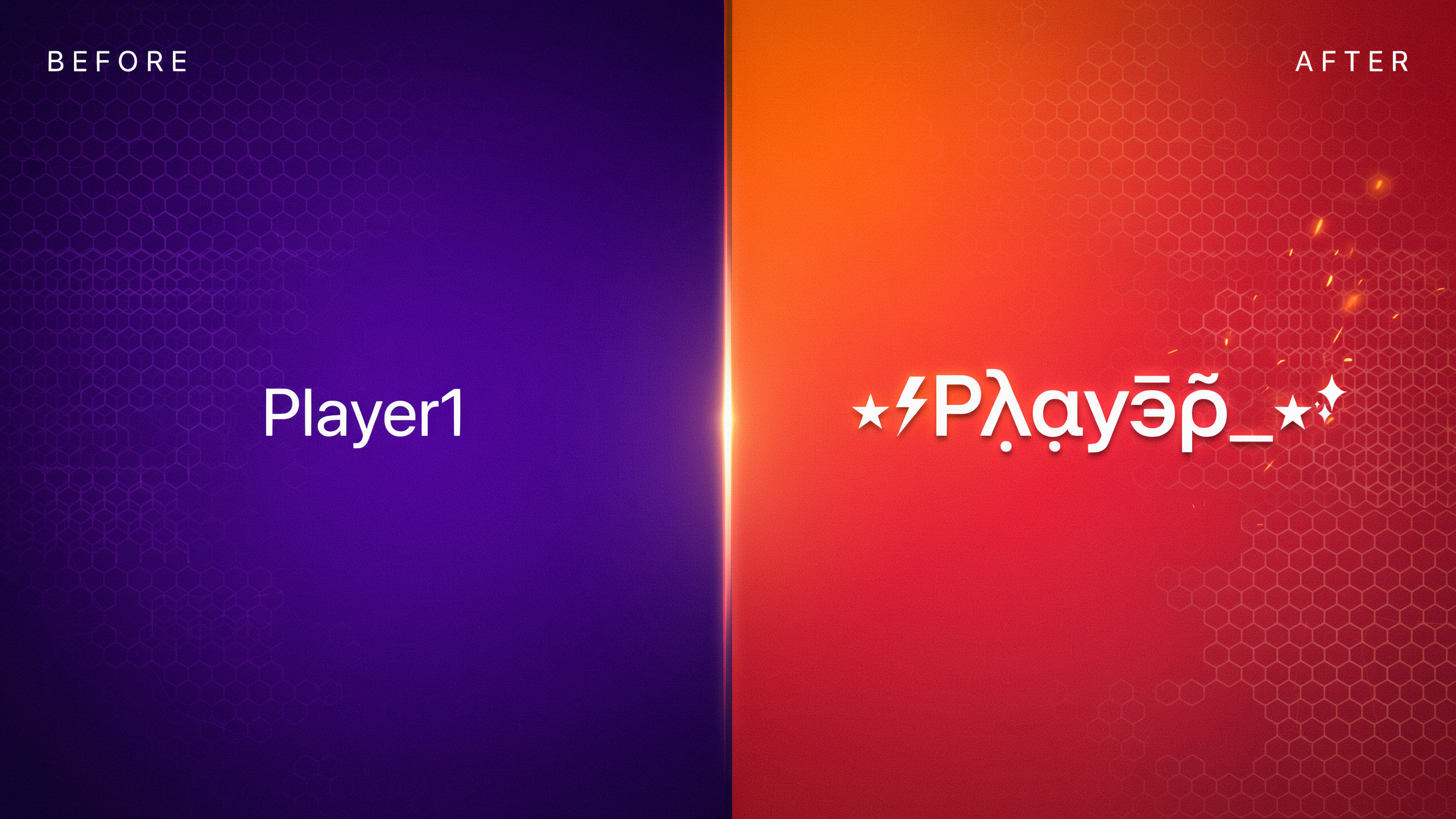
When I talk about font styles in Free Fire, I'm not talking about the kind of fonts you install on your computer. In the gaming world, a font style is a way to make your in-game name look different by using special Unicode characters that resemble fancy letters. Instead of typing plain "A" or "B", you pick a character from a completely different alphabet block that happens to look like a stylized version of that letter. The game engine just sees a string of valid characters, but to other players it reads as a cool, decorated name.
Key takeaways
- Font styles in Free Fire are Unicode characters that look like fancy letters, not actual fonts you install.
- They're allowed by Garena and don't require mods, but some characters may not render on older devices.
- You can generate styled names using free online tools like namesforfreefire.com and paste them into the game.
- Keep names under 12 characters and test them in a custom room to avoid display issues.
- Combine styles with symbols or emojis for a unique look, but avoid overcomplicating it.
This trick works because Free Fire, like most modern apps, supports the Unicode standard. Unicode is a giant library of over 140,000 characters covering hundreds of scripts, symbols, and decorative sets. Among those sets you'll find mathematical double-struck letters (𝔸, 𝔹, ℂ), script-like cursive forms (𝒜, 𝐵, 𝒞), and circled or parenthesized glyphs (Ⓐ, Ⓑ, Ⓒ). When you paste one of those into the name-change field, the game renders it just like any other text, so your name stands out in the lobby and on the kill feed.
Because these characters come from pre-existing Unicode blocks, you don't need any mod or third-party hack to use them. The only catch is that not every device has a font that covers every block, so a character that looks great on your phone might show up as a blank box on a teammate's older device. I'll cover that compatibility issue later, but for now just remember: a Free Fire font style is really a careful selection of Unicode look-alike characters that give your name a custom, typographic feel without breaking any game rules. For a deeper look at how Unicode works, check out the Unicode Consortium's overview.
Why Use Font Styles in Free Fire?
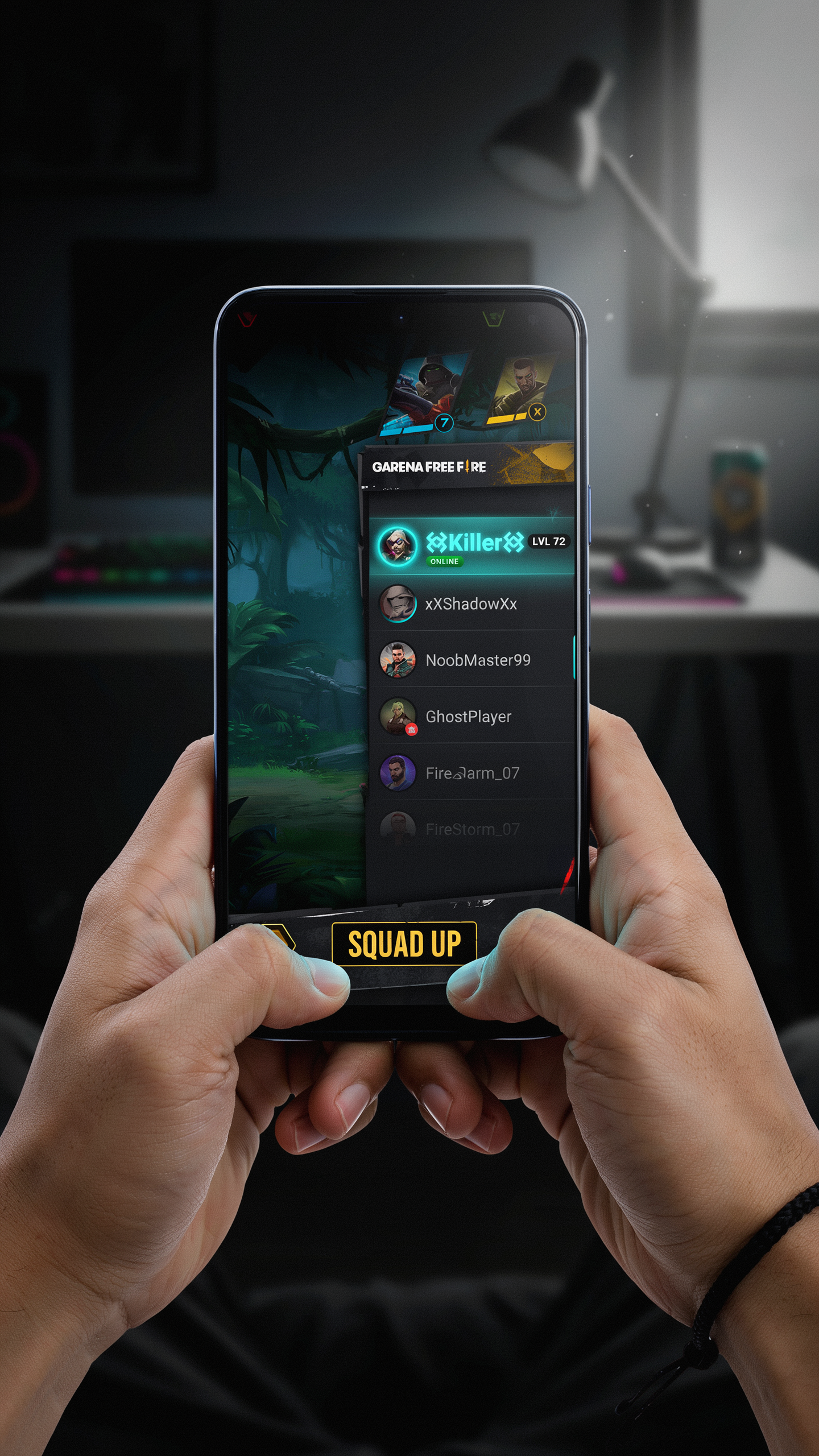
I've spent hundreds of hours in Free Fire lobbies, and I can tell you firsthand that a name with creative font styles changes how other players perceive you before the match even starts. It's the quickest way to stand out in a sea of default usernames. When you drop into Bermuda or Kalahari with a name that uses a sleek ff font style, you signal that you care about your in-game identity, and that alone can make opponents think twice.
Beyond the intimidation factor, font styles let you express your personality. Are you the funny teammate who lightens the mood? A bubbly, rounded font reflects that. The silent but deadly sniper? A sharp, angular style fits perfectly. Your name becomes an extension of your playstyle, and squadmates remember you for it. I've seen players get friend requests simply because their name looked cool in the lobby, and that kind of organic recognition builds a reputation faster than any rank push.
There's also a practical side: a distinctive name makes you easier to find when someone wants to invite you back for another match. In a game with millions of players, a memorable font style is your personal brand. Whether you're streaming, posting highlights, or just grinding ranked, that unique text helps you build a following. And let's be honest, it just feels good to see your name pop up in the kill feed with a font ff that nobody else is using.
Popular Font Styles for Free Fire Names
When I first started experimenting with font styles in Free Fire, I was amazed at how many variations exist. The trick is that these aren't actual fonts installed on your device. Instead, they use Unicode characters that look like different styles. Here are the most popular ones I've seen players use to make their names stand out.
Bold styles use characters like 𝗕, 𝗢, 𝗟, 𝗗 (mathematical bold) to create a heavy, impactful look. For example, "𝗣𝗥𝗢𝗚𝗔𝗠𝗘𝗥" instantly feels more aggressive. Italic leans letters like 𝘐, 𝘵, 𝘢, 𝘭, 𝘪, 𝘤 (mathematical italic), giving a sleek, dynamic vibe. A name like "𝘚𝘯𝘪𝘱𝘦𝘳𝘟" looks fast even before the match starts.
Cursive or script styles mimic handwriting with flowing characters such as 𝒞, 𝓊, 𝓇, 𝓈, 𝒾, 𝓋, 𝓮. I've seen players use "𝓛𝓸𝓿𝓮𝓵𝔂" for a softer, more personal touch. Gothic (also called Fraktur) uses ornate letters like 𝔊, 𝔬, 𝔱, 𝔥, 𝔦, 𝔠, perfect for a dark, medieval feel. "𝔇𝔞𝔯𝔨𝔏𝔬𝔯𝔡" is a classic example.
Bubble styles turn letters into circles, like ⒷⓊⒷⒷⓁⒺ, which looks playful and stands out in lobbies. Strikethrough adds a line through characters (e.g. S̶t̶r̶i̶k̶e̶), often used for a crossed-out effect or to show a "retired" name. Upside-down text flips characters (e.g. "uʍop ǝpısdn"), which is a fun way to confuse opponents. Small caps use petite uppercase letters like Sᴍᴀʟʟ Cᴀᴘs, giving a clean, uniform look that's easy to read.
All these font styles rely on Unicode character mapping, not actual font files. You can mix them, but remember that Free Fire's name field has a 12-character limit, so choose wisely. I've found that combining one style with a symbol from a site like ff font style generator creates a unique identity without overcrowding. For instance, pairing a simbol mahkota font with a bold name adds royalty vibes. Just test how it looks in-game, because not all devices render every Unicode character perfectly.
How to Get Font Styles for Your Free Fire Name
Getting unique font styles for your Free Fire name is surprisingly simple, and I've been doing it for years with a quick online tool. I use ff font style generators because they let me type a plain name and instantly see dozens of fancy versions. The process takes less than a minute once you know the steps.
First, open a site like namesforfreefire.com on your phone or PC. You'll see a text box where you type your desired name, for example "Phoenix" or "SniperKing." As soon as you type, the tool generates a list of stylized versions using different Unicode characters that look like bold, italic, cursive, or gothic letters. I scroll through the options and tap the one that catches my eye, which copies it to my clipboard automatically.
Next, launch Free Fire and go to your profile. Tap the edit icon next to your current name, then paste the copied text into the name field. Keep in mind that Free Fire limits names to 12 characters, and many fancy styles use multi-byte Unicode characters that can eat up that limit fast. I've learned to shorten my base name first, like using "Phnx" instead of "Phoenix," so the styled version fits. If your pasted name exceeds 12 characters, the game will reject it, so always check the length before spending diamonds on a name change card.
Another trick I use is combining a short base name with a single symbol, like a crown or star, from the same tool. For example, typing "Ace" and picking a bold font style plus a crown symbol from simbol mahkota font gives me a name that stands out in the lobby. Just remember that some devices may not render all Unicode characters correctly, so test your name in a custom room first to make sure it displays as intended.
Step-by-Step: Changing Your Name in Free Fire
Once you've picked the perfect font styles for your Free Fire name, the next step is to apply them in the game. I'll walk you through the process so you can see your new name on the battlefield. The key item you need is a Name Change Card, which costs 390 diamonds in the in-game shop. You can also get one from events, the Elite Pass, or by reaching certain levels. If you don't have diamonds, keep an eye on limited-time events that sometimes give out free cards.
Start by opening Free Fire and tapping your profile picture in the top-left corner of the main lobby. This opens your profile page, where you can see your current name, level, and stats. Next to your name, you'll see a small edit icon (a pencil). Tap that icon, and the game will prompt you to use a Name Change Card. If you have one, the system will let you proceed. If not, you'll be taken to the shop to buy one.
Now comes the fun part. Switch to the app or website where you generated your styled text, copy it, and paste it into the name field. Make sure the entire string fits within the character limit (usually 12 characters, but some special symbols may count differently). After pasting, double-check that all the font styles render correctly. Sometimes certain characters show as blank boxes, which means the game doesn't support them. If that happens, go back and pick a simpler style or remove problematic symbols.
Once you're happy, tap the confirm button. The game will deduct one Name Change Card and update your name immediately. You can now see your new name in the lobby, on the scoreboard, and during matches. Remember that you can only change your name once per card, so make it count. I also recommend testing the name in a custom room first to ensure it looks good in-game, as some font styles may appear differently on other players' screens.
Combining Font Styles with Symbols and Emojis
Once you've chosen a font style that fits your personality, the next step is to pair it with symbols and emojis. A stylized name like 『S҉L҉A҉Y҉E҉R҉』 already stands out, but adding a crown or a heart can make it truly one of a kind. I've found that the best combinations use one or two symbols placed at the beginning or end of the name, so the font style remains easy to read. For example, a bold italic name with a star on each side creates a balanced look that catches the eye in the lobby.
Crowns are especially popular in Free Fire because they signal prestige and rank. You can grab a collection of crown symbols from our simbol mahkota font page and paste them directly into the name change field. When you layer a crown over a glitch or cursive font style, the result feels both regal and edgy. I often see players combine a crown with a flame emoji to suggest a warrior king vibe, and it works beautifully.
Hearts and stars are softer options that suit duo or squad names. A name like 『❤️M҉i҉n҉i❤️』 uses a heart emoji to frame a stylized word, while a star can replace a letter for a cosmic twist. The key is to test how the symbols render on your device, because some older phones may show blank boxes instead of the intended character. I recommend sticking to widely supported Unicode symbols to avoid this issue.
Emojis add color and personality, but they can also clutter the name if overused. I limit myself to one emoji per name, placed where it enhances the font style rather than distracting from it. A skull emoji next to a vaporwave font style, for instance, reinforces a dark aesthetic without overwhelming the text. Experiment with different placements until the whole name feels cohesive, and you'll end up with a signature look that your squad remembers.
Device Compatibility and Common Issues
When I first started experimenting with font styles in Free Fire, I ran into a few headaches: some names looked perfect on my phone but turned into blank boxes on my friend's device. Not all font styles are created equal, and device compatibility is the biggest hurdle you'll face. The root cause is that Free Fire relies on the device's system fonts to render text. If your chosen style uses Unicode characters that your phone supports but another phone doesn't, it'll show up as a hollow rectangle or a question mark. This is especially common with older Android models or devices that haven't received recent OS updates.
Another issue is that Free Fire sometimes rejects names outright if they contain characters the game's filter flags as unsupported. I've seen names get through the change screen only to revert to the default after a match. To avoid this, I always test a new name in the training room or with a squadmate before spending diamonds on a rename card. Ask a friend on a different device to check how your name appears in the lobby and kill feed. If it looks broken, swap out the problematic characters for simpler Unicode alternatives. Stick to widely supported blocks like Mathematical Alphanumeric Symbols or enclosed alphanumerics, which most phones render reliably.
For players on iOS, the experience is generally smoother because Apple's system fonts cover a broad range of Unicode. However, even iPhones can stumble on obscure symbols. Android users face more fragmentation, but you can mitigate this by sticking to popular font ff generators that pre-filter compatible characters. I also recommend keeping a backup of your original name in plain text, just in case you need to revert quickly. A little testing goes a long way toward making your stylish name shine for everyone.
Creative Name Ideas Using Font Styles
Once you have a handle on the different font styles available, the real fun begins: dreaming up a name that feels uniquely yours. I always tell my squad to think of their in-game name as a tiny piece of personal branding. It's the first thing enemies see on the kill feed and what allies shout out when you clutch a 1v4. So why not make it memorable? Start with a theme that matches your playstyle. If you're an aggressive rusher, bold and angular font styles like squared or glitch text can mirror that intensity. For a sniper who values precision, sleek cursive or minimalist serif fonts might be a better fit. I've seen players build entire personas around a single aesthetic, like a horror-themed name using dripping text paired with a skull symbol.
Clan tags are another area where font styles shine. Instead of the standard bracket format, try wrapping your clan initials in a decorative font style that sets your squad apart. For example, a clan called "Phantom" could use a ghostly outline font for the tag, making it instantly recognizable in the lobby. I've also noticed a trend of players imitating pro player names but adding their own twist with a unique font style. It's a way to pay homage while still standing out. Just remember to keep it readable; a name that looks cool but is impossible to decipher defeats the purpose.
Funny names are a category of their own, and font styles can amplify the humor. A silly phrase like "PotatoAim" becomes ten times funnier when written in a wobbly, cartoonish font. I once ran into a player named "LagMaster" in a glitchy, distorted font style, and it perfectly captured the Free Fire experience. Don't be afraid to mix and match symbols with your font styles either. A crown symbol before a royal-sounding name in a regal font style can make you feel like in-game royalty. The key is to experiment. Try a few combinations in a notepad before spending your diamonds on a name change. I often browse community forums where players share their latest creations; it's a goldmine for inspiration. If you're stuck, think about your favorite movie, song, or even a meme, and then ask yourself how you can translate that into a name using font styles. There's a huge range of options, and half the joy is in the crafting.
Avoiding Common Mistakes
I've seen too many players get excited about font styles and end up with a name that's impossible to read in the kill feed. The biggest mistake is choosing a style that looks cool in a preview but turns into a garbled mess on a smaller screen. Stick to styles that are clear at a glance, because if your squad can't call out your name during a clutch moment, you've lost the advantage. Another trap is copying a name you found online without checking if it uses restricted characters. Some symbols are banned in certain regions, and using them can get your name flagged or even reset. I always test a name in the practice range first to see how it renders in-game.
Originality matters more than you think. I've seen players straight-up clone a popular streamer's name with the same font style and symbols, and that's a fast track to being reported for impersonation. Free Fire's reporting system is sensitive, and even a joke copycat name can lead to a temporary ban. Instead, use a ff font style generator as a starting point, then tweak it with your own twist. Swap a symbol, change the casing, or add a unique number that means something to you. That way, your name stands out without stepping on any toes.
Finally, don't ignore the terms of service. I know it's tempting to use a style that mimics a developer badge or a VIP tag, but those are explicitly off-limits. Garena regularly sweeps for names that violate their policies, and they don't hesitate to issue permanent bans for repeat offenses. A good rule of thumb: if a font ff style makes your name look like an official account, skip it. Keep your name fun, readable, and uniquely yours, and you'll never have to worry about losing your progress over a cosmetic choice. You can review the full rules on our terms page.
Frequently Asked Questions
How do I change my Free Fire name to use a different font style?
You can change your name in the in-game profile by spending 390 diamonds. Before confirming, paste a styled name copied from a font styles tool or website. Make sure the preview shows correctly, because some symbols may not render on all devices.
Is it allowed to use special font styles in Free Fire names?
Yes, using Unicode-based font styles is allowed because they're just text characters. Garena doesn't ban players for decorative names. However, avoid offensive or impersonating names, as those can be reported and penalized.
Why does my styled name show as boxes or question marks?
This happens when your device or the game lacks support for certain Unicode characters. To fix it, try a simpler font style with more common symbols. Test the name on a few devices or ask a friend to check how it appears on their screen.
Can I use font styles on the Free Fire MAX version?
Absolutely. Free Fire MAX shares the same account system, so any name you set in one version appears in the other. The rendering of font styles is often better in MAX because of improved text support, but the same Unicode rules apply.
Where can I find free font styles for my Free Fire name?
You can find free lettertypes on many websites that generate styled text. Just type your desired name, pick a style you like, and copy it. For a collection that works well in-game, check out ff font style options that are tested for compatibility.