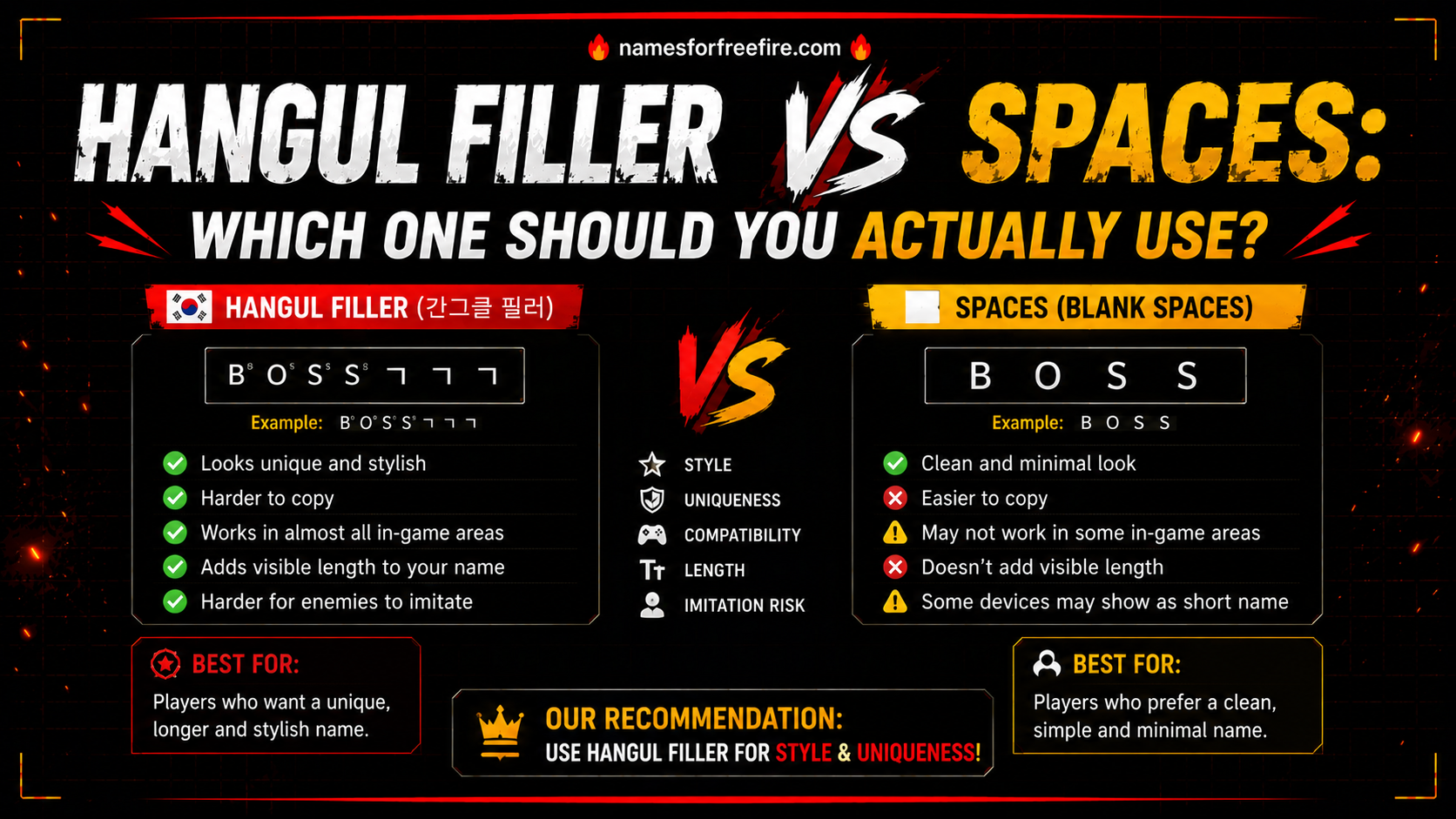
Some players want a name that says everything. Others want a name that says nothing at all, literally. The Free Fire invisible name trick has been floating around the community for years, and in 2026, it still works, though the method has been refined a few times as Garena updated its text-handling system.
If you have tried pasting a blank name before and got an error, you probably used the wrong character. Regular spaces are rejected outright by Free Fire. The trick only works with a specific Unicode character that the game accepts as valid text yet displays nothing visible. This guide walks through exactly how to do it correctly, why it works, and what to expect once your blank username is live.
What Is a Free Fire Invisible Name and Why Do Players Use It?
A Free Fire invisible name is not technically empty; the game requires at least one valid character to save a name change. What players actually use is a zero-width space or a specific blank Unicode character that renders as completely invisible text inside the game.
From the outside, your profile appears to have no name at all. In the lobby, in kill feeds, and on your profile screen, the name field shows nothing. That blank space where a name would normally appear is what makes this trick so visually striking and why it caught on so quickly across the community.
Players use it for a few different reasons:
- Standing out in lobbies where every other player has a decorated or symbol-heavy name
- Creating a mysterious or minimalist profile aesthetic
- Confusing opponents who rely on name recognition during matches
- Simply being different in a game where most customization follows predictable patterns
The hidden name Free Fire trick is one of those things that look complicated from the outside but are genuinely straightforward once you have the right character and know where to paste it.
How Does the Invisible Character Free Fire Trick Actually Work?
The invisible character Free Fire method relies on Unicode, the same character encoding system that powers stylish font generators and symbol names. Within Unicode, certain characters exist that carry no visual weight. They were designed for technical text formatting purposes, things like joining characters in certain scripts or controlling text flow direction. Still, they render as blank space in environments that do not need their formatting function.
Free Fire's name field accepts these characters as valid input because they pass the basic text validation check, and they are real Unicode characters, not empty strings. But when the game renders your name on screen, nothing appears because these characters have no visible glyph.
The zero-width space Free Fire name method uses a special Unicode blank character that renders as invisible text inside the game. Players across the community have tested various Unicode blank and filler characters over time, with certain ones gaining popularity based on shared results in player forums and Free Fire community groups.
Is the blank username in Garena Free Fire still working in 2026?
The blank username trick in Garena Free Fire continues to be used by players in 2026, though its reliability varies depending on your server region and the current game version running on your device.
Free Fire's name field rejects standard keyboard spaces as standalone input; the game treats them as empty submissions and blocks the save entirely. The trick works by using special Unicode blank characters that the game's text system processes as valid input while displaying nothing visible on screen.
What players generally find is that some blank characters work smoothly while others get rejected, depending on when the game was last updated. If a character stops working after a patch, trying an alternative blank Unicode character usually resolves the issue. Community forums and Free Fire player groups tend to share updated working characters fairly quickly after major game updates, making them a practical resource for staying current.
The best approach is to test any blank character in the rename field before confirming; if the game rejects it, your rename card is not consumed, and you can try again with a different option.
How to Set Up a Free Fire Invisible Name Step-by-Step
This is the part that matters. Here is how the Free Fire nameless trick actually gets applied:
Step 1: Get the correct blank character
You need to copy the right Unicode character. The most reliable option right now is U+3164. You can find this character on Unicode reference sites or use a Free Fire Unicode 3164 tool that specifically provides tested blank characters for the current game version.
Step 2: Open Free Fire and go to your profile
Launch the game and tap on your profile icon in the top left corner of the main lobby screen. This opens your player profile, where your current name is displayed.
Step 3: Tap the 'rename' option
Select the pencil or edit icon next to your current name. This opens the name change field. You will need a rename card to proceed. Free Fire provides these through events, login rewards, and the in-game shop.
Step 4: Clear the existing name
Delete your current name completely so the field is ready for the new input.
Step 5: Paste the invisible character
Paste the copied blank Unicode character into the empty name field. The field will appear empty to you, which is correct; that is exactly what you want. Do not add any other characters unless you want a partially invisible name with symbols on one side.
Step 6: Confirm and save
Tap confirm. If the game accepts the input, your rename card gets used, and your name updates to show nothing. If it rejects the character, the rename card is not consumed; try a different blank Unicode character and repeat the process.
Step 7: Check your profile
Go back to your profile screen and confirm the name field appears blank. Jump into a custom room or check your lobby display to see how it looks from other players' perspectives.
Why Does the Zero-Width Space Free Fire Name Method Work Better Than Regular Spaces?
Regular spaces fail because Free Fire's input validation actively rejects them as standalone name content. The game treats a name made entirely of standard spaces as an empty submission and blocks it before saving.
The zero-width space Free Fire name method works because these characters pass as legitimate Unicode text. The validation system sees a real character and allows the save. The rendering system then displays nothing because the character has no visual form.
This is also why the trick breaks occasionally after updates. Garena sometimes adds specific Unicode points to their rejection list when they become widely known. The community usually identifies replacement characters fairly quickly, which is why checking for Free Fire namespace copy-paste 2026 updated resources after major patches keeps the method working.
Final Thoughts?
The Free Fire invisible name trick is one of the simplest ways to make your profile look completely different from everyone else's in the lobby: no UC spent, no complicated tools, just the right character copied and pasted in the right place.
Grab a tested blank Unicode character, make sure you have a rename card ready, and follow the steps above. In a game full of decorated names and symbol-heavy profiles, sometimes showing nothing at all is the move that actually gets noticed.
Frequently Asked Questions
Q: Does the invisible FF name trick still work in 2026?
A: The trick remains in use among players in 2026. Success depends on your current game version and server region. Testing before confirming your rename is always the safest approach.
Q: How do I find a working blank character for my Free Fire invisible name?
A: Active Free Fire community forums, subreddits, and player Discord servers regularly share tested blank characters that work in current game versions, especially after major patches.
Q: Is using a blank username in Garena Free Fire against the rules?
A: Garena has not issued bans specifically for blank names, but the trick sits in a grey area. Using tested Unicode characters rather than attempting to exploit bugs keeps the risk minimal.