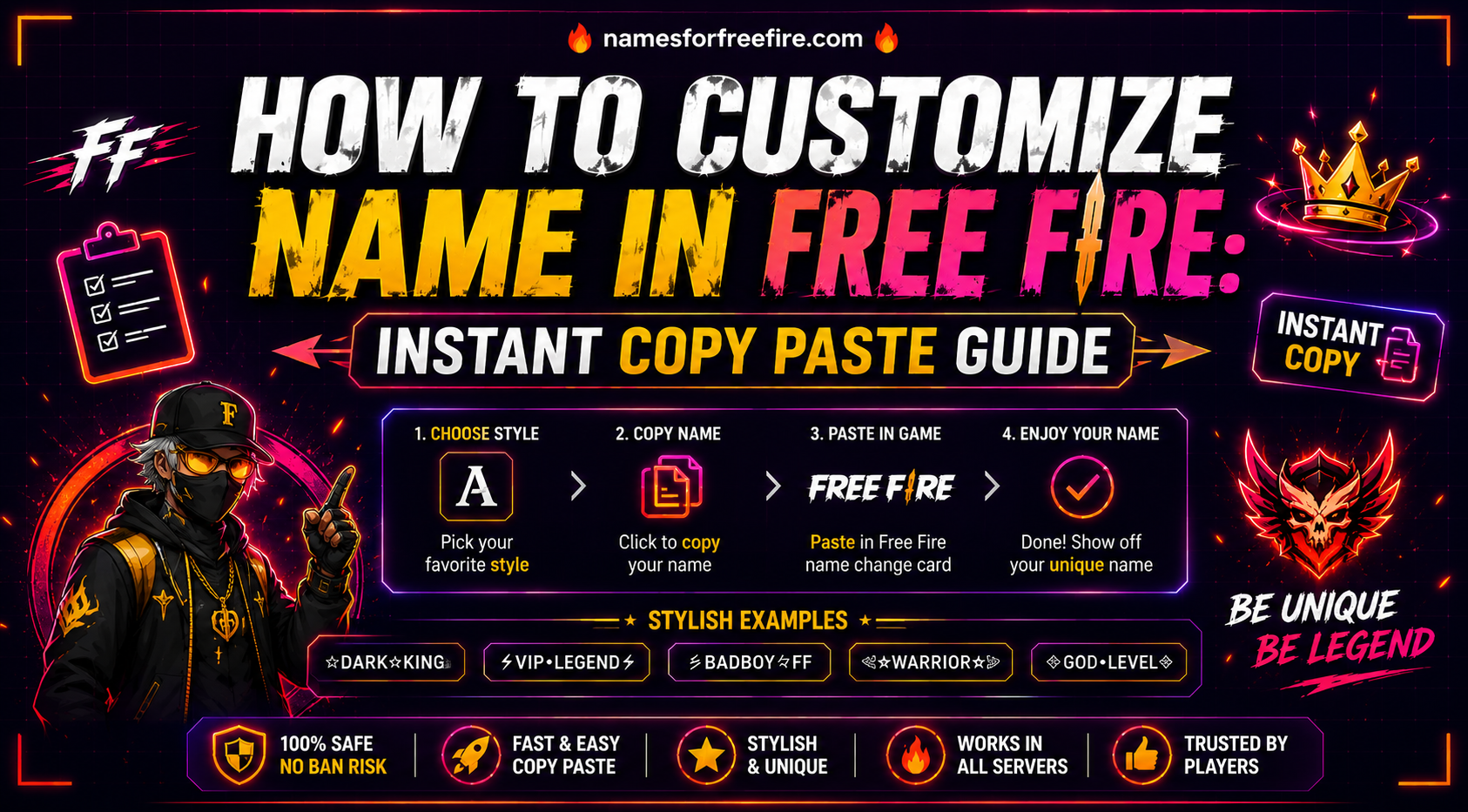
Knowing how to customize names in Free Fire is one of the first things serious players look up and for good reason. Your username is visible in every match, every lobby, and every kill notification. Getting it right is worth the five minutes it takes to do it properly.
This guide walks through the full process: how the name change system works, where to find stylish fonts, how to copy and paste them correctly, and what to watch out for so you do not burn a name change token on something that does not render properly inside the game.
Why Free Fire Name Customization Matters
Most players treat their username as a one-time setup decision made during account creation. They type something quickly, confirm it, and move on. Then six months later, they are still stuck with a name that made sense in the moment but no longer fits who they are as a player.
Free Fire name customization gives you the option to fix that, but it costs a resource to do so, which means doing it right the first time matters. A name change in Free Fire requires either diamonds or a name change card. Neither is something you want to spend twice on the same mistake.
Beyond the practical side, a well-chosen and properly styled username builds a consistent identity across ranked matches, tournaments, and any clips that get shared in the community. Players who take that identity seriously tend to invest in their name the same way they invest in their character skins, it is part of how they show up in the game.
How Do You Change Name in Free Fire Step by Step?
The process is straightforward once you know where to look. Here is the full walkthrough.
- Open Free Fire and go to your profile.
- Tap your avatar or profile icon in the top left corner of the main lobby screen. This opens your player profile page, where your current username is displayed.
- Tap the pencil or edit icon next to your current name.
- This opens the name change interface.
- You will see a text field where your existing name sits, ready to be replaced.
Before typing anything in directly, this is the step most guides skip: prepare your new name outside the game first. Open a font generator in your phone's browser, style the name the way you want it, and copy the output. Then come back to the name field and paste it in.
Once your new name is in the field, review it carefully. Check that every character is rendered correctly, that the spacing looks right, and that the overall name reads the way you intended. Only confirm once you are satisfied, because this is where the diamond cost or name change card gets used.
Tap confirm, and the change takes effect immediately across your entire profile.
What Does a Custom FF Name Creator Actually Do?
A custom FF name creator is a web-based tool that converts standard text into Unicode-styled characters that display as decorative fonts inside Free Fire. The game accepts Unicode input in its username field, which means any character within the supported Unicode range can appear in your name, including the stylized letters, symbols, and decorative brackets that pro players and content creators use.
The tool itself does not create anything inside your Free Fire account. It generates styled text that you copy from the tool and paste into the game. The creative decision, what the name actually says, is entirely yours. The tool handles the visual treatment.
A good custom FF name creator shows multiple font options for the same input simultaneously, lets you add symbols on either side of the name, and includes a one-click copy button so the transfer from tool to game is seamless. If a tool requires you to manually select and copy text from a plain text field, it is adding unnecessary steps.
How Does Free Fire Name Copy Paste Work Without Breaking the Font?
This is where most people run into problems. The name looks perfect in the generator preview, they copy it, paste it into the game, and something is off, a character shows as a box, the spacing is wrong, or the font looks completely different from what the tool displayed.
Free Fire name copy paste issues almost always come from one of three sources.
The first is device mismatch. If you generated the name on a desktop browser but are pasting it into a mobile game, the rendering can differ. Always generate and copy from the same device you are playing on. Open the font tool in your phone browser, copy from there, and paste directly into the game without the clipboard passing through a desktop at any point.
The second is font incompatibility. Not every Unicode font that exists is supported by Free Fire's text rendering system. A font that looks clean in a browser may fall back to a default character or display as an empty box inside the game. The safest approach is to stick with font styles that are widely reported as compatible, the bold script styles, the double-struck styles, and the small caps styles tend to be the most reliable across different device types.
The third is character limit. Free Fire has a maximum character count for usernames. Stylized Unicode characters sometimes count as more than one character against that limit, even though they appear as a single glyph. If your styled name is getting cut off or rejected, try a shorter version or switch to a font style with a lower character count per glyph.
Which Free Fire Nickname Styles Work Best for Different Playstyles?
Choosing a font is only part of the decision. The style of the name itself, the words, the mood, the energy, should connect to how you actually play. Here is a breakdown of Free Fire nickname styles that work well across different player types.
For aggressive rushers: Bold, heavy font treatments with short, punchy words. Names like IronStorm, BladeRush, or FuryPoint rendered in a thick Unicode bold style signal aggression before a single shot is fired.
For strategic and tactical players: Clean, minimal fonts with precise word choices. Names like VoidCode, SteelLogic, or PhasePoint in a sharp, clean Unicode style project composure and calculation.
For players who want to stand out in style: Script-style fonts or double-struck treatments with names that have an aesthetic quality, AuroraFF, VelvetAim, or MoonlitEdge sit in this lane and look distinctive without trying to intimidate.
For competitive and ranked climbers: Minimal decoration, maximum clarity. A single well-chosen word in a consistent font, with one decorative bracket on each side at most. Less is almost always more in high-rank lobbies.
How Do You Build a Stylish Free Fire Name That Holds Up Over Time?
A stylish Free Fire name that you are still happy with a year from now shares a few qualities with names that feel dated after two weeks.
The ones that last are grounded in something real about the player. They reflect an actual playstyle, a genuine personality trait, or a concept the player identifies with beyond a passing trend. Ghost, Frost, Venom, Reign, Void, these words stay relevant because they carry permanent associations, not because they were trending in a particular month.
The ones that fade fast tend to chase aesthetics that felt current at the time, references to a specific meta, names built around a character skin that gets replaced, or font styles that become overused once a popular content creator adopts them.
The practical advice is to choose a name around the concept first and then style it, rather than finding a font you like and working backward to find words that fit it. Concept-first naming produces names with staying power. Style-first naming produces names that look good briefly and then start to feel hollow.
What Should You Check Before Confirming a Free Fire Name Change?
Before spending your diamonds or your Name Change Card, run through this quick check.
Read the name on your actual phone screen at normal size, not zoomed in, not in a generator preview. Does it read clearly? Does it say what you want it to say without ambiguity?
Check the character count. Is the full name displaying, or is something getting cut off at the end?
Look at the symbols if you included any. Are they displaying as intended, or has one been rendered as a box or question mark?
Say the name out loud. This sounds unnecessary until you realize how many names look great on screen but are impossible to communicate verbally, which matters more than most players expect once they start joining voice lobbies or content communities.
If everything checks out, confirm. If anything feels off, go back and adjust before spending the resource.
Conclusion
Once you understand how to customize names in Free Fire, the mechanics, the tools, the copy paste process, and what to check before confirming, the whole thing takes under ten minutes. The result is a username that actually fits who you are as a player and looks the part in every lobby you enter.
Take the concept-first approach, use a reliable font tool on your phone browser, test the copy paste on your device before going anywhere near the name change screen, and confirm only when everything looks right.
If you are still working out what words to build your name around before you style it, our FF name generator covers hundreds of ready-to-use options sorted by playstyle, mood, and category, a useful next step before you open the font tool.
A name chosen and styled with some care behind it will represent you well for a long time. That is worth getting right.
FAQs
Q: How do I change my name in Free Fire?
Go to your profile, tap the edit icon next to your username, paste your prepared styled name into the field, review it carefully, and confirm. The change costs diamonds or a name change card.
Q: How can I create a stylish name in Free Fire?
Choose a word that fits your playstyle, run it through a Unicode font tool on your phone browser, copy the styled output, and paste it directly into the Free Fire name change field.
Q: Why does my Free Fire name copy paste look different inside the game?
Device mismatch, unsupported font styles, or character count limits are the usual causes. Always generate and copy from your phone, and stick to widely compatible Unicode font styles.
Q: Does Free Fire name customization cost diamonds every time?
Yes, unless you have a name change card. That is why preparing and testing the name before confirming matters, you want to spend that resource exactly once.
Q: What is the safest way to test a stylish Free Fire name before confirming?
Preview it at normal size on your phone screen, check every character rendered correctly, verify the full name is not being cut off, and read it aloud to confirm it communicates clearly.