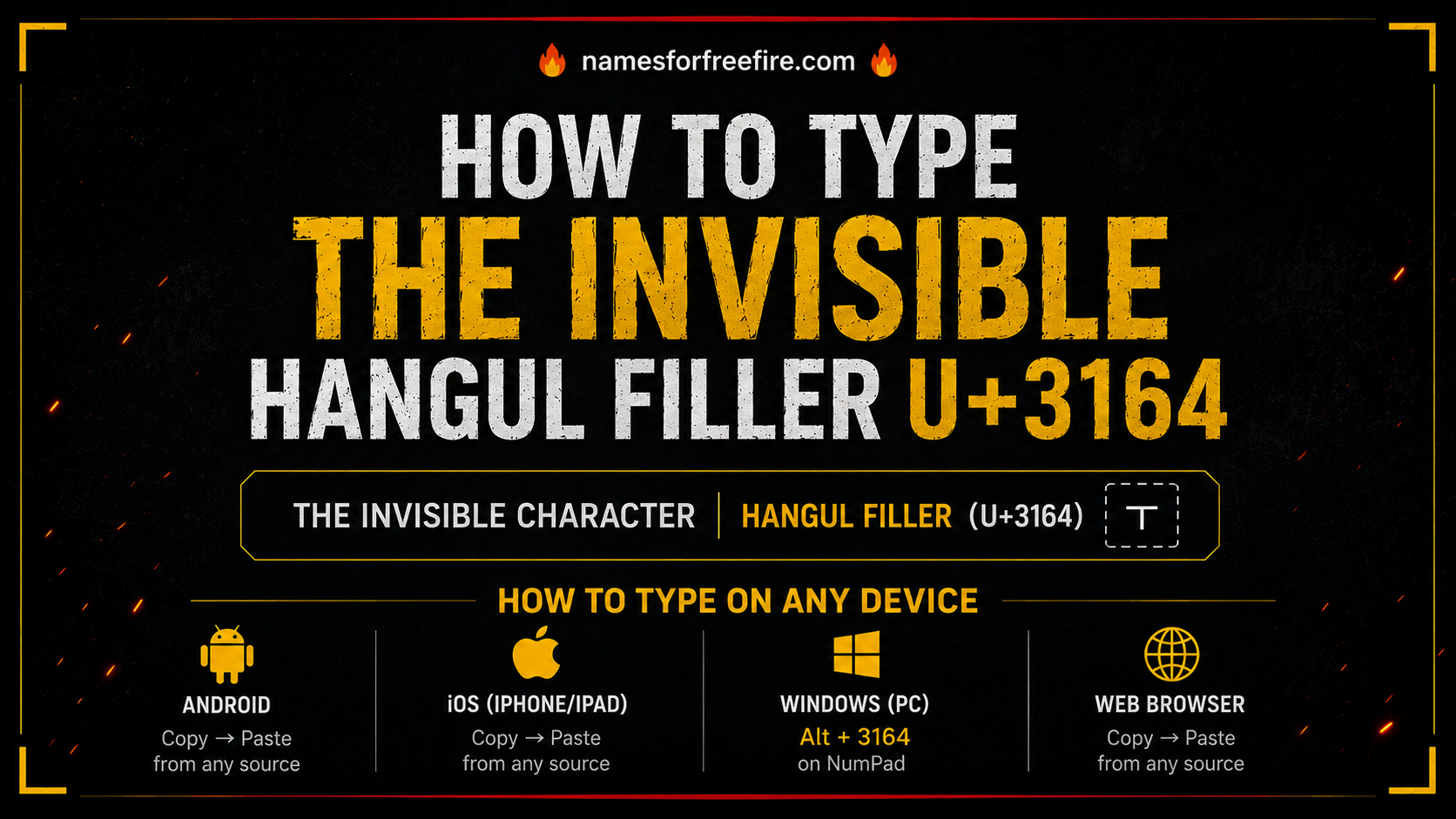
If you have ever seen a Free Fire player with a completely blank name in the lobby, no letters, no symbols, just empty space, that was not a glitch. That was someone who knew how to type hangul filler and used it exactly right.
The character behind that trick is U+3164, officially called the Hangul Filler. It is a real Unicode character that renders as invisible on most platforms. You cannot see it, but it takes up space. That combination makes it one of the most useful characters in gaming, Korean text formatting, and anywhere else you need spacing that a regular spacebar cannot provide.
This guide covers everything, what this character actually is, how to type hangul filler on every major device, where it works, and how to get the most out of it whether you are styling a game name or working with Korean text.
What Is the Hangul Filler and Why Does It Behave Differently From a Regular Space?
The Hangul Filler (U+3164) comes from the Unicode Hangul Compatibility Jamo block, a set of characters originally designed for Korean writing systems. In Korean text spacing rules, it was intended as a placeholder character when a Hangul syllable block needed to be rendered without a visible consonant or vowel.
But here is what makes it interesting outside Korean writing: most apps and platforms treat it differently from a regular space. A standard spacebar space (U+0020) gets stripped or rejected in username fields, search boxes, and form inputs. The Hangul Filler slips through because platforms read it as a visible character, even though nothing appears on screen.
That difference is exactly why gamers use it. Hangul filler vs spaces in Korean text is a real distinction with real consequences depending on where you paste the character. For game names, the Hangul Filler works where regular spaces fail.
How to Type Hangul Filler on Android
Android does not have a direct keyboard shortcut for U+3164. The most reliable method is copy-paste, but you need to get the actual character first.
Step 1: Visit a Unicode reference site or a generator specifically built for this character. Copy the invisible character directly from the copy button.
Step 2: Open your Notes app or any text field and paste it. You will see what looks like empty space, that is correct. The character is there even if nothing is visible.
Step 3: Copy that pasted character again from your Notes app and paste it wherever you need it, a game username field, a social media bio, or a messaging app.
One thing worth knowing: some Android keyboards will auto-correct or delete the character if you try to retype it from scratch. Always store a copy in Notes so you have it ready without needing to find the source again each time.
How to Type Hangul Filler on iPhone and iPad
The process on iOS is essentially the same as Android, this is not a character you can type directly from the keyboard on any mobile device.
Step 1: Open Safari and go to a Unicode character tool or hangul filler generator for Korean names that lets you copy the character with one tap.
Step 2: Paste it into Notes. iPhones sometimes auto-capitalize or auto-correct text, turn off autocorrect temporarily if the character keeps getting replaced or removed.
Step 3: Once it is saved in Notes, long-press to select and copy it. From there you can paste it into any app on your device.
A useful habit: create a shortcut in iPhone Settings under Keyboard > Text Replacement. Set the phrase as the Hangul Filler character and give it a shortcut like "hf3164", then you can type that shortcut anywhere and iOS will automatically replace it with the character.
How to Type Hangul Filler on Windows PC
Windows gives you more direct options than mobile.
Method 1 — Character Map: Open the Windows Character Map (search for it in the Start menu). In the search box type "Hangul Filler", it should appear. Click it, select it, and copy it to clipboard.
Method 2 — Unicode Input: In some Windows applications, you can type Unicode characters directly. Hold Alt, type the decimal code on your numpad, and release Alt. For U+3164, this method has inconsistent support depending on the app, test it first.
Method 3 Copy from a dedicated tool: The most consistent method on any device. Use a hangul filler tool for Korean writing or Unicode reference page, copy the character, and paste it where you need it.
How to Type Hangul Filler on Mac
Mac has a built-in Unicode input method that works well once you set it up.
Step 1: Go to System Settings → Keyboard → Input Sources. Add the Unicode Hex Input keyboard layout.
Step 2: Switch to that input method from your menu bar.
Step 3: Hold Option and type 3164 on your keyboard. The Hangul Filler character will appear in whatever text field you are working in.
Once you have used it once, copy it to a text file or sticky note so you always have it available without switching input methods again.
How Hangul Filler Works for Free Fire Names
This is where most people find this character for the first time. Hangul filler for free fire names is a widely used trick because Free Fire rejects regular spaces in the username field, but accepts U+3164 as a valid character.
The result is a name that appears blank in lobbies, kill feeds, and leaderboards. Some players use it alone for a completely invisible name. Others combine it with superscript characters, tiny letters that appear as small floating text — to create names that look like they are hovering in empty space.
Here is the basic process for Free Fire:
- Copy the Hangul Filler character from a reliable source
- Paste it into your phone's Notes app
- Add superscript letters below it if you want floating text rather than a fully blank name
- Select all, copy everything
- Open Free Fire, go to your profile, tap the edit icon next to your name
- Paste the copied text into the name field
- Confirm with a Name Change Card
Before you spend that card, preview how the name looks. The character count in Free Fire includes invisible characters, keep your total under 20 to avoid rejection.
For a faster process, the Unicode 3164 Hangul Filler tool on this site lets you copy the character instantly and preview how it combines with other elements before you paste it into the game.
How Hangul Filler Works in Korean Text Formatting
Outside gaming, how to type hangul filler matters for anyone working with Korean text in documents, apps, or design tools. In Korean typography, spacing works differently from English. Proper spacing in Korean text with hangul characters requires understanding when a filler character is appropriate versus when standard spacing rules apply.
The Hangul Filler acts as a syllable-block placeholder — it fills the structural position of a Hangul character without rendering any visible glyph. This is useful in certain text rendering contexts where an empty block is needed to maintain alignment.
Hangul filler vs no spaces in Korean sentences is a nuanced distinction. In most casual or digital Korean text, you would not use U+3164 for general sentence spacing, that is handled by standard spaces. The filler becomes relevant in structured text environments, rendering systems, or anywhere the formatting requires a character that holds visual space invisibly.
Korean text formatting tips hangul filler worth knowing:
- Use it for placeholder alignment in Korean syllable grids
- Avoid it as a substitute for standard word spacing in regular Korean sentences
- It pairs well with monospaced fonts where alignment precision matters
- Test rendering in your specific app or platform before relying on it in published work
One Character, More Uses Than You Expect
Most people find the Hangul Filler through gaming. They want a blank name, they find U+3164, they copy it and move on. But the character has a longer history and more legitimate uses than that single trick suggests.
Whether you are working with hangul filler Korean text examples in a design or publishing context, trying to understand Korean text formatting tips, or just want that blank Free Fire name you have been after, knowing how to type hangul filler correctly on your device saves you the frustration of watching it disappear or get rejected.
Copy it once, store it somewhere you can find it, and use it wherever you need it.
FAQs
Where do I find hangul filler for Korean text?
The easiest place is a Unicode reference tool or a dedicated generator that has a one-tap copy button. Searching for "U+3164 copy" will bring up several reliable options. Store it in a Notes app once you have it so you can reuse it without searching again.
How do I use hangul filler in sentences?
In Korean text, it acts as a syllable placeholder rather than a word space. For gaming or social media use, paste it into any text field where regular spaces are not accepted. It works best as a standalone invisible character or combined with other Unicode characters for stylistic effects.
Does hangul filler improve Korean text readability?
Not in standard writing. Hangul filler meaning and usage examples in traditional Korean typography relate to structural rendering rather than readability improvement. For everyday Korean sentences, regular spacing rules apply. The filler is a formatting and rendering tool, not a readability enhancement.
When should I avoid hangul filler in Korean writing?
Avoid it as a replacement for regular word spaces in standard Korean text. Hangul filler vs spaces in Korean text is clear, they serve different purposes. Using U+3164 where a regular space belongs can cause rendering issues in some text editors and publishing tools.
What is the best practice for Korean text formatting with hangul filler?
Use it only where its specific properties are needed, placeholder syllable blocks, invisible spacing in gaming contexts, or alignment in structured Korean text rendering. For everything else, standard Korean spacing rules cover what you need.