An old english font turns a plain Free Fire name into something that looks carved from a medieval manuscript, all sharp angles and heavy blackletter strokes. It gives an ID instant presence in the kill feed without making it hard to read. The style works especially well for aggressive or knight-themed names, and it pairs naturally with crown and star symbols.
Key Takeaways
- Old english font is a blackletter style with thick vertical strokes and pointed arches, not a single typeface.
- Free Fire renders most old english letters correctly, but a few special characters may show as boxes on some devices.
- You can copy and paste old english text from a generator without installing any app or font file.
- Namesforfreefire.com offers an old english text generator that works on mobile and desktop with no registration.
- Combining old english letters with symbols like ♛ or ★ makes the name stand out even more in lobbies.
What Is Old English Font and Why It Works in Free Fire
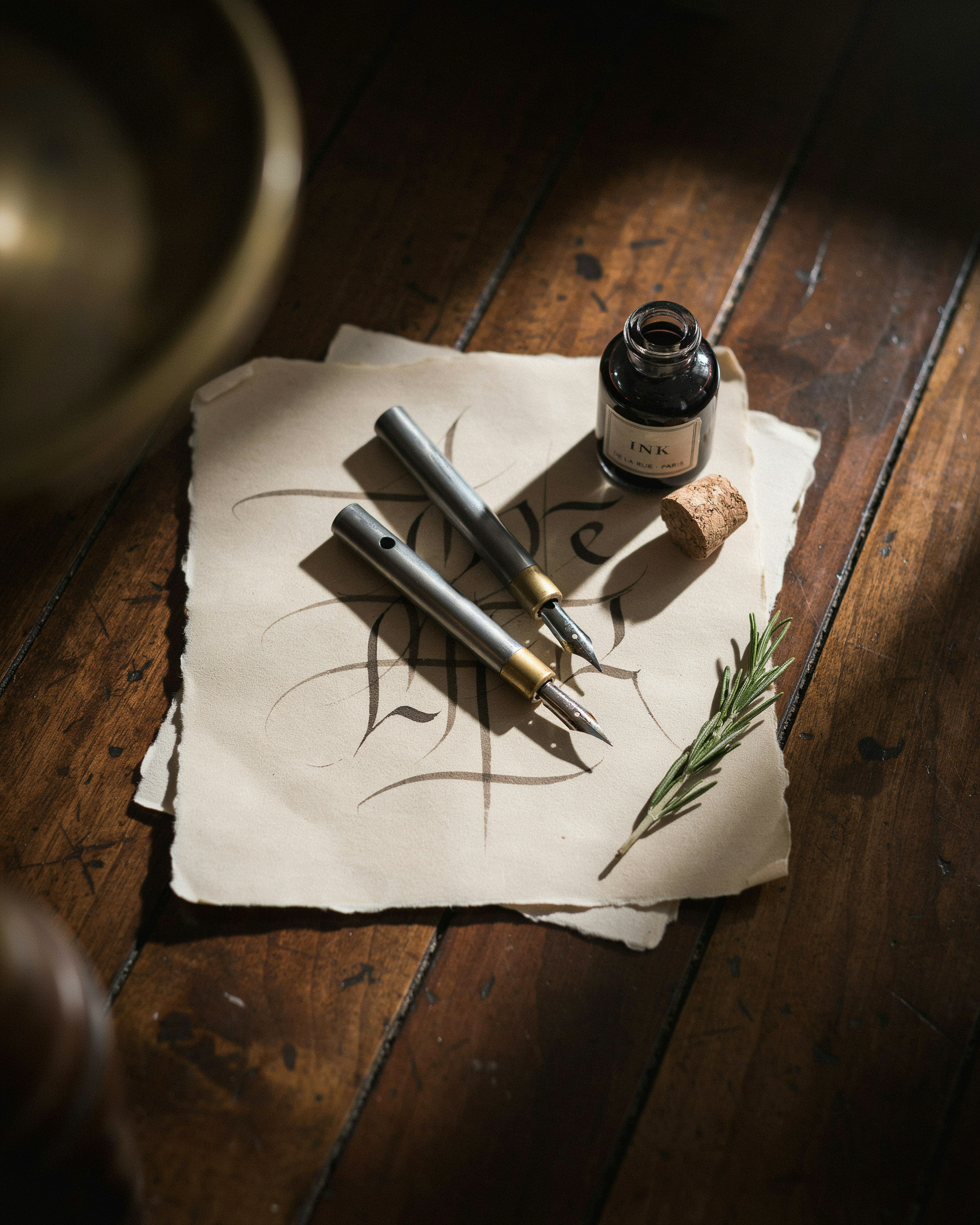
Old English font is the modern name for blackletter, a family of letterforms that dominated European manuscripts and early printed books from roughly the 12th to the 17th century. The style is instantly recognizable: thick vertical strokes, sharp angular joints, and ornate flourishes that make each character look carved rather than written. In Free Fire, players chase this look because it reads as medieval, regal, and a little intimidating. That's exactly the energy a competitive name should carry.
The technical reason it works inside Free Fire comes down to Unicode. The game's name field accepts a wide range of Unicode characters, including the Mathematical Fraktur block, which contains letterforms modeled directly on blackletter calligraphy. When you type a normal "A" and replace it with the Fraktur equivalent, the game renders that character as an old english font style without any special font installation. Your device already has the glyphs, and Free Fire's text engine simply draws them.
This is why copy and paste tools for this style are so popular for the game. You don't need to sideload a font file or root your phone. A generator swaps each standard letter for its blackletter Unicode counterpart, and the resulting string pastes straight into the name field. The rendering is consistent across Android and iOS because both platforms ship with Unicode coverage for these blocks.
One practical note: not every blackletter character is supported in Free Fire. The game filters some Unicode ranges, so a name that looks perfect in a preview can drop characters once saved. That's why the best generators stick to the Mathematical Fraktur and Mathematical Bold Fraktur ranges, which Free Fire renders reliably. We'll cover exactly which characters survive in a later section.
How the Old English Text Generator Works

An old english text generator works by swapping each letter you type for a matching Unicode character from the Mathematical Fraktur or Blackletter block. These aren't custom fonts installed on your phone. They're standard text characters that Free Fire's chat and name system reads as normal letters, which is why they paste cleanly into the game.
Type the word "Shadow" into the box and the tool maps S to the Fraktur capital S, h to the Fraktur lowercase h, and so on. The output looks like medieval script, but underneath it's still plain text. That matters because Free Fire doesn't support actual font files. It only accepts characters from the Unicode standard, so a generator that leans on those blocks is the only reliable route.
Most tools also offer a few style variants. One might use the full Fraktur set, another might mix in Gothic letters from the Mathematical Bold Fraktur range. The visual difference is subtle, but it changes how heavy or ornate the name appears in the lobby. You'll also see options that add small caps or letter spacing, which can help shorter names stand out.
There's no download, no registration, and no font installation involved. The generator does the mapping in your browser and gives you a string you can copy with one tap. That's the whole mechanism. It's less a font and more a clever translation layer between the letters you know and the Unicode symbols that look like old English script.
Old English Font Copy and Paste: Step by Step
Getting a blackletter name into Free Fire takes less than a minute once you know the flow. The generator does the heavy lifting, so you're really just deciding on a base name and then moving the styled result into the game. Here's the exact sequence, and it works the same on Android and iOS.
Start by typing the plain version of your name into the text box on namesforfreefire.com. Keep it short, under 12 characters is ideal, because Free Fire has a name length limit and the styled version adds visual weight without adding letters. If your plain name is "ShadowReaper", the tool converts each letter into its old english counterpart and shows you the result instantly.
Next, tap the copy button next to the styled name. The tool copies the full string to your clipboard, including any decorative characters you've chosen. Don't try to retype it yourself, the special characters won't match and you'll end up with a broken name. Copying is the only reliable way to preserve the exact glyphs.
Now open Free Fire and go to your profile. Tap the edit icon next to your current name, then tap inside the name field and hold until the paste option appears. Paste the copied name and check the preview before confirming. Free Fire charges diamonds for name changes, so you don't want to waste a change on a typo.
One thing worth knowing: the copy and paste process doesn't change how the game stores your name. It stores the Unicode characters, not a font. That means your name looks styled on your screen and on other players' screens, but it won't appear in search results if someone types the plain letters. If you want people to find you by typing your normal name, keep the plain version somewhere in your profile bio instead.
After you confirm the change, log out and back in once. This forces the game to refresh the profile display, and you'll see the old english letters rendered correctly. If the name shows boxes or question marks on your device, it's usually a device font issue, not a problem with the name itself. Most modern phones render the full set without trouble.
Old English Letters: The Character Set Behind the Style
The old english letters you see in a generated name aren't actually a separate alphabet. They're standard Latin characters mapped to Unicode math symbols, specifically the Fraktur block that starts around U+1D504. That's why a capital A becomes 𝔄 and a lowercase a becomes 𝔞. The mapping is predictable, but it's not universal.
Most uppercase letters convert cleanly. A, B, C, D, E, F, G, H, I, J, K, L, M, N, O, P, Q, R, S, T, U, V, W, X, Y, and Z all have Fraktur equivalents. Lowercase letters are mostly fine too, with a few exceptions. The letter q doesn't have a Fraktur form, so generators usually leave it as a regular q or swap in a lookalike. The same goes for a few other edge cases depending on the tool.
Numbers are where things get interesting. Digits 0 through 9 don't have Fraktur equivalents in Unicode, so an old english text generator typically leaves them untouched or uses a bold or double-struck variant. That means a name like "Knight99" will show the letters in old english style but the 9s in a plain or slightly different weight. It's not broken, it just looks slightly mismatched.
Symbols are the wildcard. Most punctuation marks, emojis, and decorative characters pass through unchanged because they aren't part of the Fraktur block. If you're using Free Fire Symbols Copy and Paste Categories alongside old english letters, the symbols will render in their original style while the letters around them get the Fraktur treatment. That contrast is actually what makes the name pop in a kill feed.
One practical note: Free Fire's in-game font rendering handles Fraktur characters well, but some older devices or custom ROMs may show boxes instead. If a letter looks broken in the game, swap it for a plain version or a close visual match. The generator can't fix a device-level rendering gap.
Old English Font for Free Fire: What Actually Renders
Free Fire's name field accepts up to 12 characters, and that limit includes every symbol, space, and special character you paste in. An old english font for free fire won't work the way a desktop font does. The game doesn't load custom typefaces. Instead, it maps your pasted characters to whatever glyphs the game's built-in font supports. Most old english style names use Unicode mathematical fraktur letters, which look like ornate blackletter but aren't a real font at all.
The characters that survive are the fraktur block from U+1D504 to U+1D537, plus a few bold script letters. Lowercase fraktur letters like 𝔞, 𝔟, and 𝔠 render cleanly in Free Fire's chat and name display. Uppercase versions like 𝔄, 𝔅, and ℭ also work, though 𝔉 and 𝔚 occasionally show as blank boxes on older devices. The safest set is the basic fraktur alphabet without the double-struck or outline variants.
What fails more often is the old english text generator output that includes combining diacritics, zero-width joiners, or emoji-style decorations. Free Fire strips most of those silently. A name that looks perfect in the generator preview can arrive in-game with missing glyphs, usually replaced by a hollow rectangle. That's why the Unicode U+3164 Hangul Filler trick is popular: the invisible filler character lets you create a blank-looking space that the game still counts toward the 12-character limit, without breaking the fraktur letters around it.
If you're copying from a gothic font generator, test the name in a Free Fire lobby first. Paste it into the rename field, then check the preview before confirming. Some fraktur letters look nearly identical to regular letters at small sizes, so a name like 𝕯𝖗𝖆𝖌𝖔𝖓 can read as DRAGON on a phone screen. That's fine if you want subtle style, but it defeats the purpose if you're going for a dramatic old english look.
For the best results, stick to plain fraktur letters plus one or two simple symbols from the Free Fire Crown Symbols Copy and Paste (♛ ♚ 👑) set. Crowns and stars render reliably, while fancier decorative characters often don't. The copy and paste approach works because fraktur is part of the Unicode standard, not because Free Fire added special font support. You can read more about Unicode's coverage of these blocks on Wikipedia's Mathematical Alphanumeric Symbols page.
Gothic Font Generator vs Old English: What's the Difference
People often use "gothic font generator" and "old english font" as if they mean the same thing, and for Free Fire names the practical difference is small. Both pull from the same blackletter tradition: heavy vertical strokes, sharp angles, and that medieval manuscript look. A gothic font generator usually offers a wider range of blackletter variants, some with more ornate flourishes, while an old english font sticks closer to the classic Textura style most players recognize from the default name options.
For a Free Fire name, pick old english when you want the cleanest, most readable version of that style. It holds up better at small sizes in kill feeds and lobby lists. Reach for a gothic font generator when you want something heavier or more decorative, especially if you're pairing it with crown or star symbols. The difference matters less than how the final name renders in-game, so test both before committing.
Combining Old English Font with Symbols and Decorations
Blackletter text already looks striking on its own, but pairing it with the right decoration turns a decent name into one people actually remember. The trick is restraint. One crown or a single star reads as intentional; three crowns, two hearts, and a row of diamonds looks like a sticker sheet exploded.
Start with the symbol that matches the vibe you want. A crown says leader, which is why so many squad captains put one before their name. If you're going for something cleaner, try a single star on either side of the text. The Free Fire Crown Symbols Copy and Paste (♛ ♚ 👑) page has the full set, including the filled and outlined versions that render slightly differently in-game. For a softer look, the Free Fire Heart Symbols Copy and Paste (♥ ♡ ❤) collection works well with short blackletter names, especially if you're going for a duo or couple-style tag.
Placement matters more than quantity. A symbol before the name draws the eye first, which is useful when you want the decoration to be part of the identity. A symbol after the name feels more like a signature. If you use two, mirror them: one on each side. That symmetry is what makes names like ♛ KING ♛ feel balanced instead of cluttered.
Stars are the most flexible option because they come in so many weights. The Free Fire Star Symbols Copy and Paste (★ ☆ ✦) page includes the simple five-point star, the hollow version, and the four-point sparkle. A hollow star next to a bold blackletter name creates a nice contrast without competing for attention.
Symbols render more consistently than some of the fancier Unicode fonts. So if your old english font name ever shows up as boxes on a friend's device, the symbol will still display correctly. That makes decorations a useful safety net, not just a style choice.
If you want to see how the full combination looks before committing, the Free Fire Symbols Copy and Paste Categories page groups everything by type, which makes it easy to test a crown, a star, and a heart side by side against your blackletter text.
Common Mistakes That Break Old English Names
Most broken names come from one of four problems, and they all show up the same way: a box, a blank space, or a name that gets rejected outright. The first is unsupported characters. Free Fire's name field accepts a limited set of Unicode blocks, and some old english font symbols simply aren't in that set. You'll paste a name that looks perfect in the generator, then see a hollow rectangle in the game. The fix is to test with a smaller character set first, one that's known to render, then build up from there.
Invisible spaces are the sneakiest one. Some generators insert zero-width characters or the Unicode U+3164 Hangul Filler to create gaps between letters. Free Fire often strips these or treats them as invalid, which can leave your name looking cramped or trigger a rename prompt. If you're using a Unicode U+3164 Hangul Filler to space out letters, paste the name into a plain text editor first and check for hidden characters before you commit it in the game.
Name length is the easiest mistake to make. Free Fire caps in-game names at 12 characters, and old english font letters often count as more than one character because of their decorative marks. A name that looks like eight letters can easily hit the limit once the styled characters are counted. Trim the base name before you style it, not after.
Mixed fonts are the last one. Players sometimes combine old english font letters with symbols from a different style, like a gothic font generator output, and the result renders as a row of boxes because the two character sets don't sit together in Free Fire's font stack. Stick to one style per name, or test the exact combination in a Free Fire name preview before you spend the rename card.
A Quick Comparison Table of Name Styles
When you're picking a name for Free Fire, the style you choose changes how fast teammates can read it, how unique it looks in the lobby, and whether it even renders on everyone's screen. Old english font sits in a sweet spot: it's distinctive without being unreadable, and it almost always displays correctly because it relies on standard Unicode letters rather than obscure symbols. Here's how the main styles stack up.
| Style | Readability | Uniqueness | Free Fire Compatibility |
|---|---|---|---|
| Old English | High: letters stay close to standard forms | Medium: popular but still eye-catching | Excellent: uses widely supported Unicode characters |
| Cursive | Medium: loops and flourishes can blur at small sizes | Medium: common in many games | Good: most cursive Unicode renders fine |
| Bold | High: thick strokes stay clear | Low: bold alone looks plain | Excellent: no unusual characters needed |
| Symbol-heavy | Low: too many symbols make names hard to scan | High: combinations feel one-of-a-kind | Risky: some symbols show as boxes on certain devices |
If you want a name that reads instantly but still feels crafted, old english font is the safest bet. Symbol-heavy names can look impressive, but they trade readability for flair, and a name nobody can parse loses its point in squad chat. Bold and cursive are fine, yet they don't carry the same medieval weight that old english letters bring to a Free Fire ID.
Frequently Asked Questions
Does old english font work in Free Fire?
Yes, most old english font characters render in Free Fire because they map to standard Unicode letters. The game accepts them in player names, guild tags, and chat. Some rare glyphs may show as boxes on certain devices, so test before saving.
Can I copy and paste old english font directly?
Yes. An old english text generator converts your text instantly, and you can copy the styled result with one tap. Paste it into Free Fire's name field, your profile, or any app that supports Unicode text.
What is the Free Fire name character limit?
Free Fire allows up to 12 characters for player names. Old english letters count as one character each, same as regular letters. Symbols and spaces also count, so plan your name length carefully.
Why do some old english letters show as boxes?
Boxes appear when a device or app lacks a glyph for that specific Unicode character. Stick to common old english letters from the generator's standard set. If a character fails, swap it for a visually similar alternative.
Is old english font the same as gothic font?
They are closely related. Old english font is a specific blackletter style, while gothic font generator tools often include broader medieval and fraktur variants. For Free Fire names, both produce a similar bold, ornate look.
Can I combine old english font with symbols?
Yes. Many players pair old english letters with crowns, stars, or hearts from namesforfreefire.com's symbol library. The combination makes your name stand out in lobbies and kill feeds.