A stylish text converter is a simple online tool that takes your ordinary typed characters and swaps them for decorative Unicode symbols, fancy letterforms, and special glyphs that look completely different from standard text. I use one almost every week when I'm setting up a new Free Fire profile, because the in-game name field accepts these Unicode variations even though it won't let you type bold or cursive letters directly.
For Free Fire players, this tool solves a real problem: everyone wants a name that stands out in the kill feed, on the leaderboard, and in squad invites. A plain name like "Rahul123" gets lost among millions of players. A name with curved letters, small caps, or a crown symbol instantly catches the eye. The converter does the heavy lifting by mapping each letter of your input to a matching Unicode character from a huge library of alphabets, so you don't need to memorize any codes or install any fonts.
What makes a stylish text converter different from a regular font changer is the range of styles it offers in one place. You can pick from cursive scripts, bold gothic letters, bubble text, upside-down characters, and even glitch-style symbols. Then you copy the result and paste it directly into Free Fire's name field. The whole process takes under ten seconds, and the result works on Android, iOS, and emulators alike.
I've tested dozens of these tools over the years, and the best ones keep things fast and ad-light. They also preview every style side by side, so you can compare how your name looks in different scripts before committing. That preview step is crucial, because some Unicode characters render as blank boxes on certain devices, and you want to catch that before you lock in your name.
Key Takeaways
- A free fire stylish name starts with the right converter, and the best ones let you preview changes live before you copy them.
- Most stylish text converters work by swapping standard letters for Unicode lookalikes, so your name still reads normally in game.
- Symbols like crowns, stars, and arrows add personality, but one or two well-placed icons beat a cluttered name every time.
- Hindi and Indonesian players get better results from tools built for their scripts, like a free fire mein stylish name generator.
- Test your final name in a Free Fire lobby before committing, because some fonts render differently on mobile screens.
How a Stylish Text Converter Works
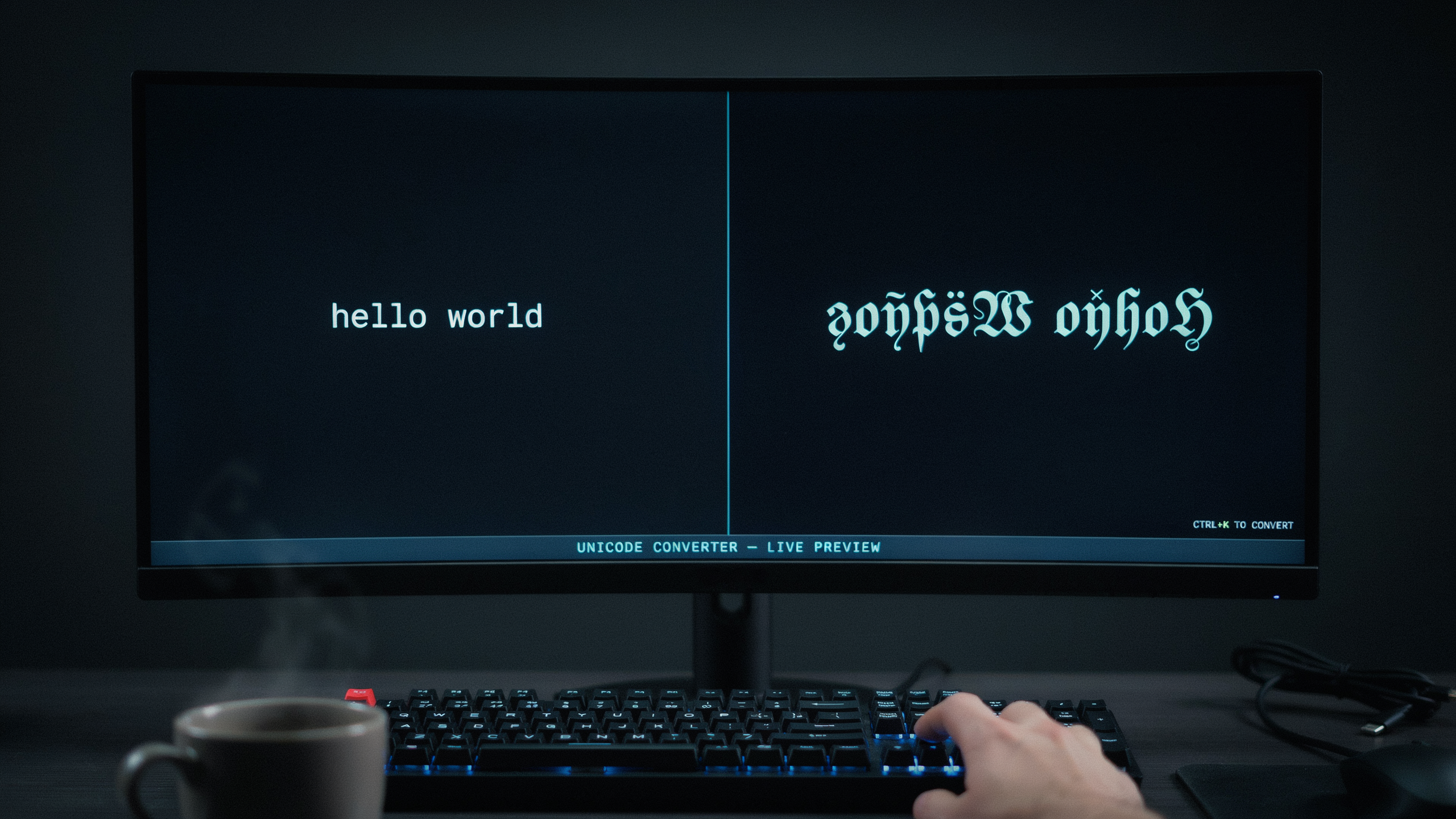
I used to think a stylish text converter was some kind of magic trick that changed the font inside Free Fire. The truth is simpler and smarter. Every fancy character you see in a player name, from the curly letters to the bold symbols, comes from something called Unicode. Unicode is a global standard that assigns a unique code to every character across all writing systems. When you type plain text into a free fire stylish name tool, the converter swaps each standard letter for a visually similar Unicode character from a different block, like mathematical alphanumeric symbols or fullwidth forms. The game reads these characters as normal text, but your eyes see a completely different style.
So why does this work in Free Fire when changing an actual font wouldn't? The game only accepts a limited set of characters for player names, and it doesn't let you upload custom fonts. A text generator nama ff works around that limit by using characters that are already part of the Unicode standard. Free Fire treats them as valid letters, so the name saves without errors. That's the core trick behind every fancy text generator you've ever used. The converter doesn't create new fonts. It simply maps your input to a different set of Unicode code points that happen to look stylish.
Here's a quick example to make it concrete. The letter "A" has a standard Unicode code point. But there's also a mathematical bold capital A, a script capital A, and a fullwidth capital A. They all look different, but Free Fire accepts each one as a valid character. A stylish text converter automates the mapping so you don't have to copy and paste individual symbols from a character map. You type your name once, pick a style, and the tool generates the full string in seconds. That's why these tools feel instant even though the underlying process is just a lookup table.
One thing I always tell players: not every Unicode character works in every game. Free Fire is fairly forgiving, but some symbols may still fail to save or show as blank boxes on certain devices. A good converter tests the output against common game restrictions. When you use a reliable tool, you get a name that looks great in the lobby and on the battlefield. That reliability is what separates a polished crown stylish name from a broken string of boxes. You can read more about Unicode standards on the Unicode Consortium website.
Step-by-Step: Using a Stylish Text Converter for Free Fire
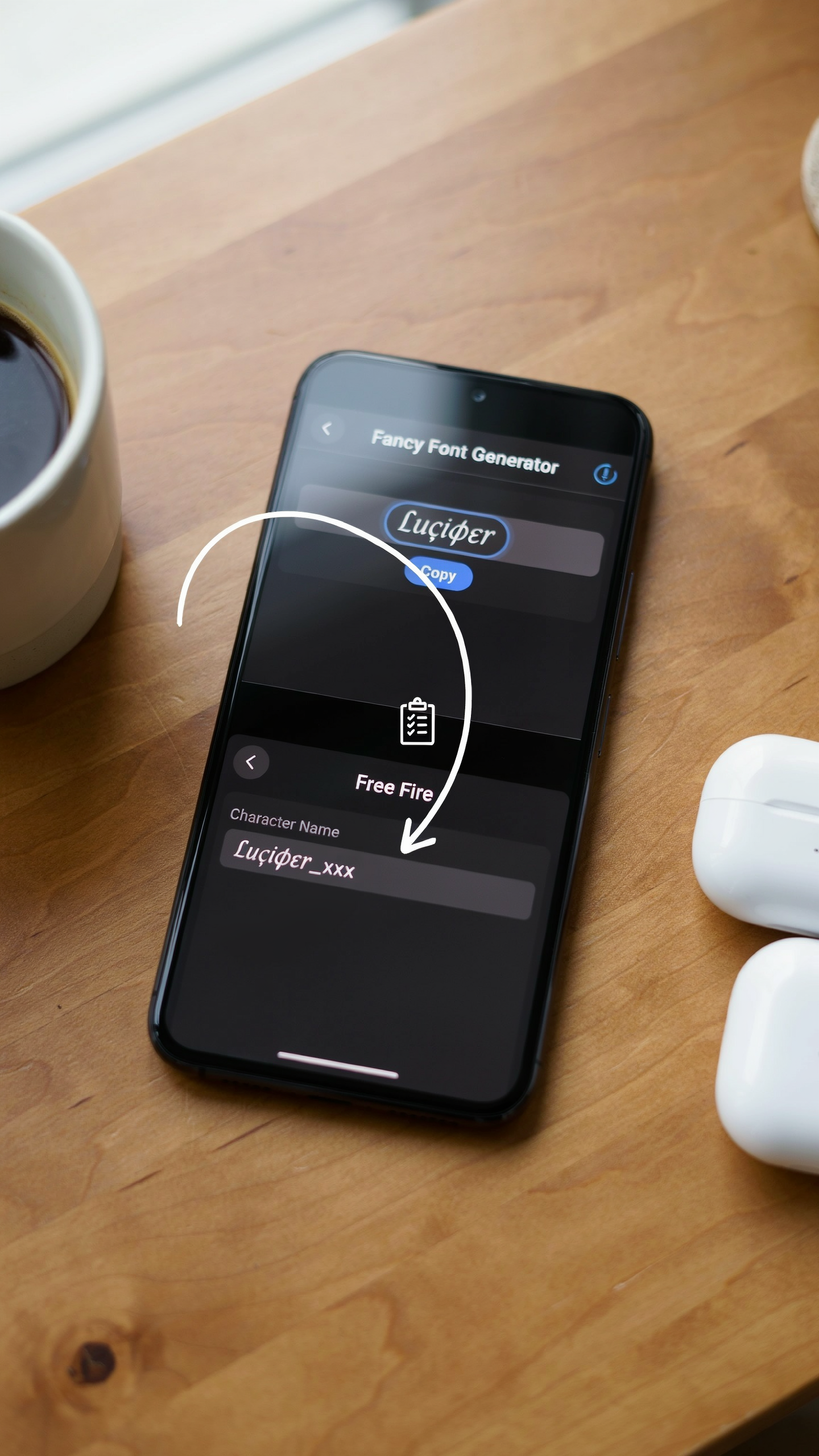
I've changed my Free Fire name more times than I can count, and the process is simple once you know the flow. Open a free fire stylish name tool in your browser, then type the base name you want to transform. Keep it short at first, because longer names give you fewer style options and can look cluttered in the kill feed.
After you type the name, the converter shows a live preview with different font styles. Scroll through the list and pick one that matches your vibe, whether that's a bold gothic look or a clean italic style. Tap the copy button next to the style you like, and the fancy text goes straight to your clipboard. I always paste it into a notepad first to make sure nothing got cut off.
Now open Free Fire on your phone and go to your profile. Tap the edit icon next to your current name, then paste the converted text into the name field. Free Fire allows up to 12 characters for a name, and some fancy fonts use more than one character per letter, so check the length before you confirm. If the name is too long, go back to the converter and try a shorter style or remove a symbol.
One thing I learned the hard way: Free Fire sometimes rejects certain Unicode characters, especially the more decorative ones. If you get an error, switch to a simpler font style or swap out a symbol. You can also add a crown or other symbol from the converter's symbol section before you copy, which gives your name an extra layer of personality without breaking the character limit.
Once the name is accepted, it shows up in your profile, your squad list, and the end-of-match screen. I recommend testing it in a custom room first so you can see how it looks in the actual game UI, because some fonts look great in the converter but get hard to read on a small screen. If you're happy with it, you're done, and your new stylish name is ready for the battlefield.
Popular Style Categories for Free Fire Names
When I browse the most copied names in Free Fire lobbies, a few style families keep showing up. Cursive and script styles are the softest option, turning a plain name like "Rahul" into flowing, handwritten-looking text that feels personal. Bold and blackletter styles go the opposite direction, adding weight and a gothic edge that reads as aggressive or elite. A free fire stylish name built around blackletter characters tends to stand out in kill feeds, especially when paired with a short clan tag.
Symbol-decorated names are the most common category I see. Players wrap their base name with crowns, wings, stars, or fire emojis, and the crown stylish name pattern is easily the most requested style on our site. The trick is restraint: one or two symbols on each side reads clean, while five symbols per side turns the name into visual noise that teammates struggle to type when they want to add you.
Another category is the mixed-font look, where a stylish text maker swaps individual letters for lookalike Unicode characters. You might keep the first letter normal and convert the rest into small caps or circled letters. This works because Free Fire renders most Unicode glyphs correctly, but a font changer that leans too hard on obscure characters can break in older Android builds. I always test a converted name in a private room before committing to it in ranked.
Adding Symbols and Crowns to Your Name
Once you have a stylish text converter output you like, the next step is to layer in symbols that make the name feel truly yours. Crowns are the most popular choice for Free Fire because they signal status and confidence, and they're easy to place at the start or end of a name. I usually add a crown before the first letter and a small star after the last letter, which frames the name without making it hard to read. The trick is to use a crown stylish name pattern that keeps the crown visually connected to the text, so the whole name reads as one unit instead of a random symbol glued on.
Stars, hearts, and lightning bolts work the same way, but I recommend picking one theme and sticking with it. If you use a crown, a star, and a skull all in the same name, it starts to look cluttered and the stylish text converter effect gets lost. A cleaner approach is to choose a crown for the left side and a single star for the right side, then let the fancy font do the rest of the work. Some players also add a small space between the symbol and the first letter, which can help the crown stand out on smaller screens.
One thing I learned the hard way is that not every symbol is allowed in Free Fire names. The game blocks certain special characters, so if a name fails to save, try swapping the symbol for a different one from the same category. Crowns and basic stars are usually safe, but obscure Unicode symbols can trigger a rejection. When I test a new name, I paste it into the game first, and only then do I share it with my squad. That extra ten seconds saves me from showing off a name that doesn't actually work in a match.
You can also combine symbols with the stylish text converter output to create a signature look. For example, a crown plus a bold script font reads as a leaderboard-ready name, while a star plus a glitch font feels more aggressive. The key is to keep the symbol count low, usually one or two per name, so the fancy text remains the main attraction. I've seen names with five crowns and they just look messy, not powerful.
Stylish Text Converter for Hindi and Indonesian Players
When I talk to Free Fire players from India and Indonesia, the same question comes up again and again: can a stylish text converter handle Devanagari script or Bahasa Indonesia without breaking the formatting? The short answer is yes, and the regional versions of our tool are built specifically for that. The free fire mein stylish name page lets Hindi-speaking players type in their native script, apply the same fancy fonts and symbols, and copy the result straight into the game. I've tested this with names like राहुल and अर्जुन, and the output stays crisp even after the game's character limit trims it down.
For Indonesian players, the text generator nama ff works the same way but with a few local twists. Indonesian usernames often mix English words with local slang, so the tool keeps the original casing and spacing while adding the decorative touches. A player named JagoanFF can turn that into JagoanFF or ꧁ঔৣ☬JagoanFF☬ঔৣ꧂ in under ten seconds. I've seen this exact pattern used by top Indonesian squads, and it holds up in the kill feed without any rendering issues.
One thing I always remind regional players about: the stylish text converter doesn't change the meaning of your name, only the visual style. So if you want a Hindi name that also reads well to English-speaking teammates, consider using a bilingual format like राहुल✦Rahul. The tool supports that mixed-script approach, and it's a great way to keep your identity clear while still looking sharp on the leaderboard.
Common Mistakes to Avoid When Choosing a Stylish Name
I've seen too many players ruin a great Free Fire name with one careless choice. The most common mistake is using invisible characters, like zero-width spaces or Unicode control codes, to make a name look "clean." The game often strips these, leaving your name broken or showing as blank boxes on other players' screens. Stick to visible symbols from a reliable free fire stylish name library so every letter renders correctly.
Another trap is going overboard with length. Free Fire caps names at 12 characters, and a stylish text converter can tempt you to stack symbols, crowns, and fancy letters until the name becomes unreadable. I always tell players to keep the core name to 8 or 9 characters, then add one or two decorative symbols. If your squad can't read your name at a glance, it's not stylish, it's noise.
Banned symbols are the third big pitfall. Some Unicode glyphs look cool but violate Free Fire's naming rules, especially emoji-style characters or reserved punctuation. When you use a crown stylish name template, double-check that the crown symbol you pick is from the approved set. A name that gets rejected means you waste a rename card, and those aren't free.
Finally, don't copy a name that's already famous. I get it, you want the same vibe as your favorite streamer, but a cloned name with one different symbol looks lazy. Use a text generator to build something original: take a base word you like, change one letter to a fancy font, and add a symbol that means something to you. That's how a name becomes yours.
Tips for Making Your Free Fire Name Stand Out
I've spent hours testing names in Free Fire, and the ones that actually get noticed share a few things in common. First, combine two different font styles in one name. A free fire stylish name that mixes a bold script for the first word with a clean sans-serif for the second reads better than a wall of ornate glyphs. Keep the core name short, three to six characters, so it fits the kill feed and lobby without wrapping awkwardly.
Readability is everything. Before you lock in a name, screenshot it in a match and check it from a phone screen, not just the preview box. Some fancy fonts look great in the generator but turn into unreadable squiggles at small sizes. If your squad can't call out your name in a clutch moment, the style is working against you. Test it in the training ground first.
Match the style to your playstyle. Aggressive rushers lean toward sharp, angular fonts with symbols like lightning bolts or crosshairs. Support players and snipers often prefer smooth, rounded scripts that feel calm and precise. Your name is a signal before the first bullet fires, so let it hint at how you play.
Finally, don't overload on symbols. One crown or a single pair of wings is enough. When I see a name with five different symbols crammed around three words, it looks cluttered, not stylish. A crown stylish name works best when the crown sits alone at the start or end, giving the text room to breathe. Less decoration, more identity.
Frequently Asked Questions
Will a stylish text converter get my Free Fire account banned?
No. A stylish text converter only changes how your name displays using Unicode characters. Garena's rules prohibit offensive names, not fancy fonts. As long as your name follows community guidelines, you can use a free fire stylish name without any ban risk.
Can I use a stylish name on any Free Fire server?
Yes. Stylish text works on all servers because it relies on Unicode, which every device supports. Whether you play on the Indian, Indonesian, or global server, your converted name will render correctly for you and other players.
How many characters can a Free Fire name have?
Free Fire allows up to 12 characters for your in-game name. A stylish text converter helps you fit symbols and fancy letters within that limit, so plan your name carefully before spending diamonds on a rename card.
Why does my stylish name show as boxes on some devices?
Some older phones lack fonts for rare Unicode symbols. Stick to common symbols like crowns, stars, and hearts from a reliable crown stylish name generator to ensure your name displays properly everywhere.
Is there a stylish text converter for Hindi or Indonesian players?
Absolutely. You can use a free fire mein stylish name tool for Hindi text or a text generator nama ff for Indonesian. Both convert your native script into stylish fonts that work in Free Fire.