Key Takeaways
- Stylish text instantly makes your Free Fire name stand out in lobbies and kill feeds, using Unicode symbols and fancy fonts that work on any device.
- Our generator is free, web-based, and requires no downloads, just type, pick a style, and paste into Free Fire.
- You can combine fancy characters with crown symbols, emojis, and regional-language characters for a truly unique identity.
- Avoid common pitfalls like overcomplicating your name or using unsupported characters that break in-game display.
- With support for Hindi, Indonesian, and other languages, our tool helps you create a free fire stylish name that reflects your personality and culture.
What Is Stylish Text and Why Free Fire Players Love It
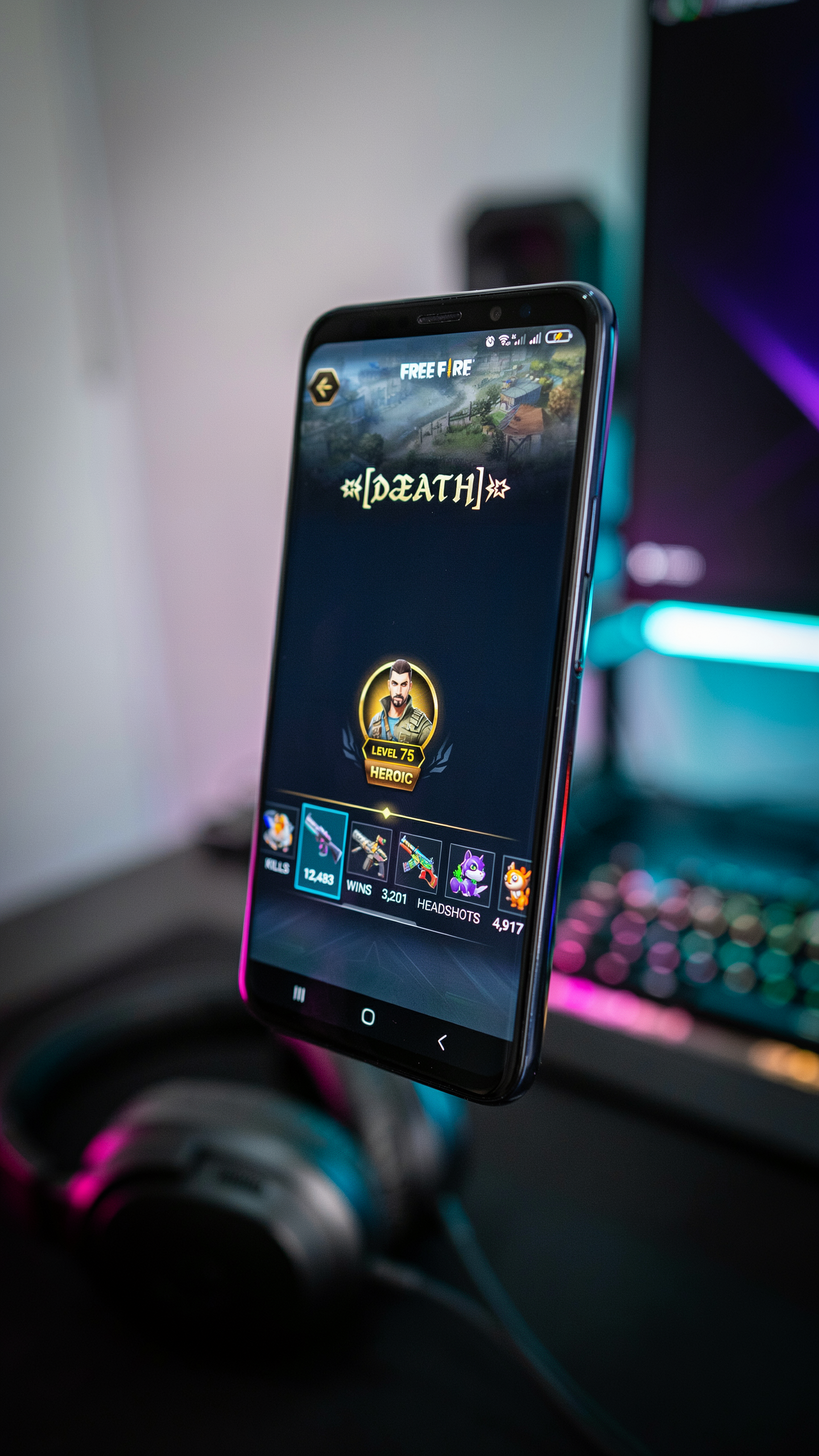
Stylish text is a set of Unicode characters that mimic fancy fonts without actually changing the font itself. Instead of relying on a new typeface, a free fire stylish name uses mathematical symbols, script letters, and other special glyphs built into the Unicode standard. You can paste these characters anywhere that supports plain text, like your Free Fire profile. They display as elegant, bold, or decorative letters on any device.
In the Free Fire community, a unique name is a badge of identity. With millions of players worldwide, standing out in the lobby or on the kill feed matters. Stylish text lets you transform a simple name like "ProGamer" into something like "ℙ𝕣𝕠𝔾𝕒𝕞𝕖𝕣" or "꧁༒☬ProGamer☬༒꧂" instantly. It's about expressing your personality, clan affiliation, or even intimidating opponents before the match starts.
Unlike regular fonts that require the game to support custom typefaces, these fancy characters work because every modern system already recognizes them. When you create a free fire mein stylish name with a generator, you're not installing anything. You're simply copying and pasting a string of characters that the game renders as decorative text. This universal compatibility is why the technique has become a staple for players who want to level up their in-game presence without any technical hassle.
How a Stylish Text Generator Works
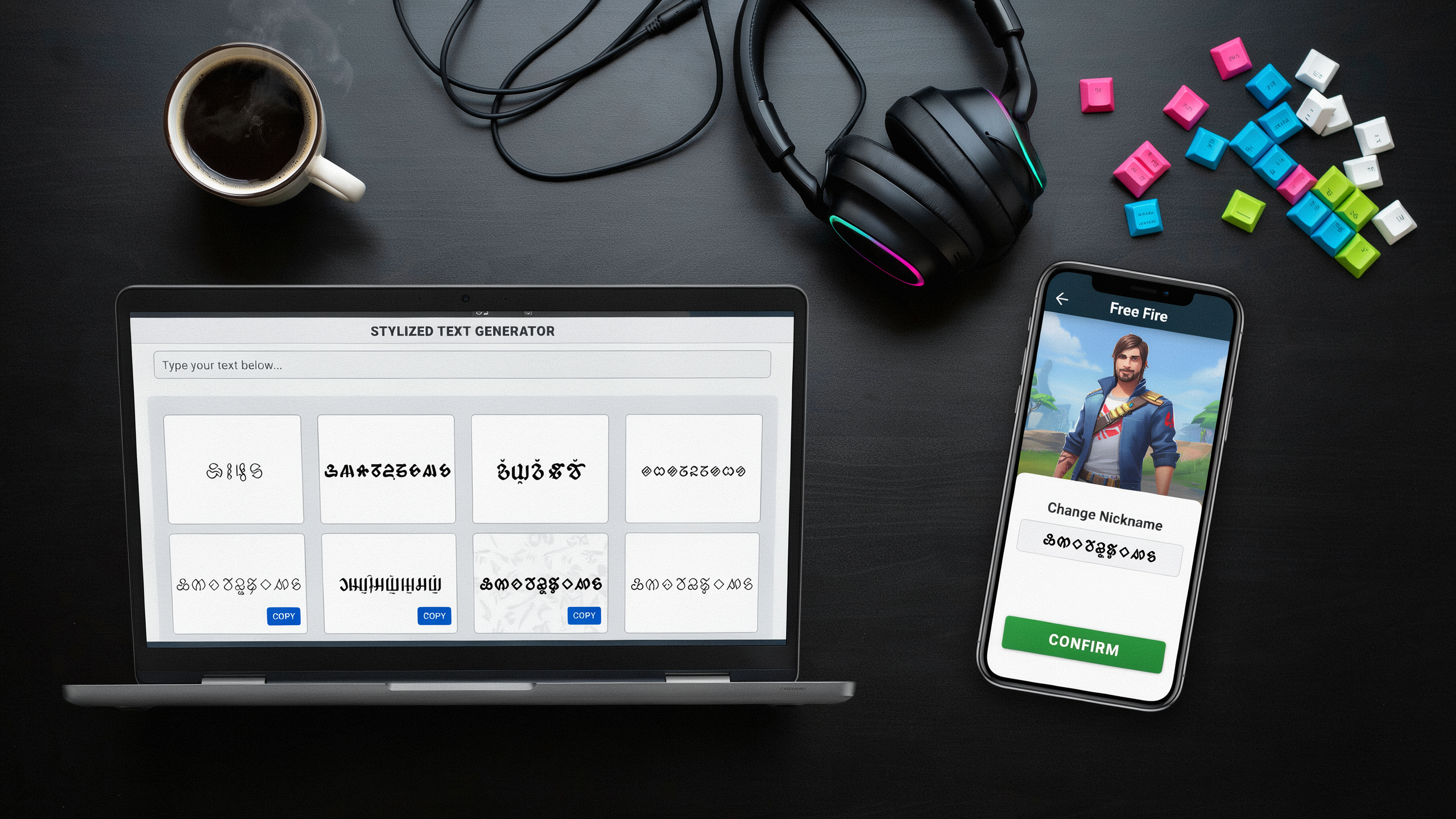
When you type a normal name into a generator, the tool doesn't change the font in the way a word processor does. It maps each standard letter and number to a corresponding character from the Unicode mathematical alphanumeric symbols block. For example, a regular "A" becomes "𝓐" (mathematical bold script capital A) or "𝔸" (mathematical double-struck capital A). These characters look like fancy fonts but are actually separate Unicode code points. Free Fire's text engine can display them without any special rendering.
This approach works because Free Fire, like most modern apps, supports a wide range of Unicode characters in player names. The game's text system treats these symbols as valid characters, so a name like "𝓢𝓽𝓪𝓻" appears in a cursive style while still being recognized as the word "Star". A stylish text maker automates the conversion by running your input through a predefined mapping table and outputting the styled version instantly.
Behind the scenes, a stylish text converter may offer dozens of styles. Each corresponds to a different Unicode subset: fraktur, double-struck, sans-serif, monospace, and more. Some generators also combine diacritical marks or spacing modifiers to create effects like glitch text or bubble letters. Because the output is pure Unicode, it copies and pastes smoothly into Free Fire's name field. It remains visible to other players regardless of their device or OS. This universal compatibility is why free fire stylish name tools have become essential for players who want to stand out in the lobby. For a deeper look at how Unicode handles these characters, check out the Unicode FAQ on combining marks.
Step-by-Step: Using a Stylish Text Generator for Free Fire
The process is surprisingly simple once you know the steps. First, head over to namesforfreefire.com, a reliable generator for Free Fire players. You'll see a text box right on the homepage where you can type your desired name. Start with your base name, like "Joker" or "Shadow," and then let the tool work its magic.
After you type your name, the generator instantly displays dozens of variations. You'll see options with cool fonts, symbols, and even Unicode characters that Free Fire supports. Scroll through the list and pick a style that matches your in-game persona. If you're going for a bold look, choose a style with heavy, outlined letters. The preview updates in real time, so you can see exactly how your name will appear in the game.
Once you've found the perfect style, just click the copy button next to it. The tool copies the text to your clipboard instantly. Then, open Free Fire on your device, go to your profile, and tap on the name change option. Paste the copied text into the name field. Keep in mind that Free Fire has a 12-character limit for names, so make sure your styled name fits. If it's too long, you can shorten your base name or pick a simpler style.
The free fire mein stylish name version for Hindi names works the same way. The tool even lets you combine styles with symbols like crowns, which you can find at the crown stylish name page. For Indonesian players, the text generator nama ff offers localized styles. After pasting, save your changes, and your new name will show up in matches and lobbies. It's that easy, and names are rarely rejected as long as you stick to supported characters.
Popular Stylish Text Styles for Free Fire Names
There are many different styles available. Each one gives your name a completely different vibe, and the right choice can make your profile stand out in the lobby. Here are the most popular styles players use, along with real examples you can try.
Bold and Italic Styles: These are the classics. Bold text (like JOKER) makes your name look strong and aggressive, perfect for a rusher playstyle. Italic text (Joker) adds a sleek, fast feel, as if your name is already in motion. Many players combine both for a dynamic look.
Script and Cursive: If you want a more elegant or mysterious name, script fonts are a good choice. They mimic handwriting and can make even a simple name like "Shadow" look artistic. Some script characters can be hard to read on smaller screens, so test them in-game before committing.
Double-Struck and Outline: Double-struck text (like 𝕁𝕆𝕂𝔼ℝ) is hugely popular because it looks like a neon sign. It is bold, futuristic, and grabs attention instantly. Outline styles (𝕁𝕆𝕂𝔼ℝ) give a similar effect but with a hollow, edgy feel. These are often used for clan tags or short names.
Gothic and Fraktur: For a medieval or heavy metal vibe, gothic text (𝔍𝔒𝔎𝔈ℜ) is unmatched. It feels ancient and powerful, which suits aggressive players. Many top-ranked players use gothic for their main name because it commands respect in the kill feed.
When you use a free fire stylish name generator, you can preview all these styles instantly. Try each one with your base name to see which matches your personality. The best style is the one that feels like you.
Combining Stylish Text with Symbols and Emojis
Once you have generated your fancy text using our converter, the next step is to make it stand out even more by adding symbols and emojis. In Free Fire, a name that combines decorative fonts with eye-catching icons can instantly signal your style and personality to other players. Experimenting with different combinations can turn a simple name into a memorable one.
One of the most popular additions is the crown symbol, which many players use to show off their rank or simply to add a royal touch. You can grab a variety of crown designs from our dedicated crown stylish name page, where we have collected dozens of options that work perfectly with any font style. Just copy your favorite crown and paste it before or after your generated name. Putting a crown at the beginning makes a bold statement, but you can also frame your name with crowns on both sides for extra flair.
Beyond crowns, stars, hearts, arrows, and even animal emojis can give your name a unique vibe. When combining these with fancy characters, make sure the symbols complement the font style rather than clash with it. A sleek, modern font pairs well with minimalist symbols like a star or a diamond. A more playful font can handle colorful emojis. Test a few combinations in the game's name change screen to see how they look in the actual lobby, because some symbols might appear differently on various devices.
A common trick is to place a symbol between two words in your name. It acts as a natural separator and adds a decorative element. If your name is "BlazeKing", you could write it as "Blaze👑King" or "Blaze★King". This small detail can make your name easier to read while still looking customized. Remember that Free Fire has a character limit for names, so keep an eye on the total length when adding symbols. With a bit of experimentation, you will find the perfect mix that represents your in-game identity.
Tips for Creating the Perfect Free Fire Stylish Name
A great stylish name is not just about looking cool. It needs to be readable, memorable, and functional in the game. The first rule is to keep the name easy to read. When you use a free fire stylish name with too many fancy characters, your teammates might struggle to mention you in chat or during a match. Stick to one or two decorative elements per name, such as a crown symbol or a simple font change. That way the name stays clear even on a small mobile screen.
Another tip is to avoid overcomplicating the design. A crown stylish name can look amazing, but if you add too many symbols, the name becomes a jumbled mess. Choose a single focal point, like a crown at the start or end, and then use a clean font for the rest. This balance makes the name stand out without looking cluttered. Test the name in the game's preview screen before finalizing it, because some symbols appear differently in the actual match lobby.
Character limits are something many players forget about. Free Fire allows up to 12 characters for a name, and if you are using special Unicode symbols, each one counts as a character. Count the characters carefully after generating a style with our tool. It is easy to go over the limit when adding symbols. If you want a longer name, you might need to shorten the base text or use a compact font style. Also check that the name does not contain any characters that the game might block, which can happen with certain rare symbols.
Finally, test the name in different in-game scenarios. Look at it on the kill feed, the lobby list, and the profile screen to make sure it is visible and not cut off. A name that looks perfect in a text box might be hard to read when it appears in the fast-paced action of a match. Ask a friend to search for your name in the game to confirm it is easy to find. These small checks can save you from having to spend diamonds on a name change later. With these tips, you can create a name that looks great and works perfectly in Free Fire.
Common Mistakes When Using Stylish Text in Free Fire
Even with a reliable free fire stylish name tool, it's easy to trip up. One common mistake is using characters that look cool but aren't supported by the game. Free Fire's name system only accepts certain Unicode symbols, so some fancy fonts may show as blank boxes or question marks. Always test your text in a practice lobby before finalizing.
Another issue is making the name too long. Free Fire limits names to 12 characters, including spaces and symbols. When you use a free fire mein stylish name generator, the converted text often takes more characters than the original. You might exceed the limit without realizing it. Count carefully and trim if needed.
Copying errors are also frequent. Some players copy from a website but accidentally include extra spaces or invisible formatting characters. This can cause the name to appear glitchy. To avoid this, paste into a plain text editor first, then into the game. Also, be cautious with crown stylish name combinations. The crown symbol may not render properly on all devices, making your name look broken to others.
Stylish Text for Regional Languages: Hindi and Indonesian
Free Fire is huge in India and Indonesia, and many players want their names to reflect their local language while still looking cool. Our generator works with Hindi and Indonesian scripts. The converter recognizes Devanagari and Latin characters alike, so you can type in Hindi words like "राजा" (king) or Indonesian phrases like "petarung" (fighter) and get the same fancy font options. This means your free fire mein stylish name can carry your cultural identity without sacrificing style.
For Hindi names, combining the output with symbols works well. For example, "राजा" becomes "𝕋𝕊𝔾𝕋𝔾" in a bold serif font, then add a crown emoji. Indonesian players love using the text generator nama ff to transform "jago" (champion) into "𝕃𝔸𝔾𝕆" or "𝔽𝔸𝔾𝕆" in double-struck or fraktur styles. The key is that the underlying text remains readable, so your squad can still recognize your name in the game lobby.
One tip: when using fancy characters in regional languages, test the output in the Free Fire name change screen first. Some older devices may not render certain Unicode fonts correctly, but most modern phones handle them fine. Simpler styles like bold or italic work universally. More decorative ones like bubble text might show as boxes on low-end devices. Stick to clean, legible fonts for the best experience.
Why Our Stylish Text Generator Is Different
This free fire stylish name tool was built after getting frustrated with clunky alternatives that bombarded users with pop-ups and slow load times. Most generators feel like they were designed for desktop, but we play Free Fire on our phones. Every feature works flawlessly on mobile. The interface is dead simple: you type your name, and the fancy text appears instantly in a clean grid you can scroll through without a single ad blocking your view.
What really sets us apart is the preview. You see exactly how your name will look in the game before you copy it. This saves you from pasting something that turns into gibberish in the lobby. The tool is kept updated with the latest Unicode symbols that Free Fire actually supports, so you are not wasting time on fonts that get rejected. And because players often switch between languages, the free fire mein stylish name version handles Hindi script natively. The text generator nama ff page is tailored for Indonesian players who want a local feel. No other generator gives you that kind of regional precision without forcing you through a maze of menus.
Reliability matters when you are about to jump into a ranked match. Our tool has been tested across thousands of name changes. We actively monitor Free Fire updates so the text you generate today will still work after the next patch. Combine that with our library of crown stylish name symbols, and you have a one-stop shop for creating a name that stands out in any squad.
Frequently Asked Questions
Is stylish text allowed in Free Fire?
Yes, Garena allows special Unicode characters in player names as long as they don't violate the game's terms of service. Just avoid offensive symbols or overly long names, and you'll be fine.
Does stylish text work on all devices?
It uses standard Unicode, so it displays correctly on Android, iOS, and even low-end devices. Our free fire stylish name generator has been tested on multiple phones, and the fancy fonts render perfectly in the game's UI and on the leaderboard.
Can I use stylish text in other games?
Absolutely. The Unicode characters work in any game that supports text input, like PUBG Mobile, Call of Duty, or Minecraft. Many players reuse their favorite free fire mein stylish name styles across different platforms because they're universally compatible.
How do I copy and paste stylish text?
It's simple: type your name into our generator, pick a style you like, then tap the copy button. Next, open Free Fire, go to your profile, and paste it into the name field. Our text generator nama ff tool is optimized for mobile copying without glitches.
Will using stylish text get my account banned?
No, the text itself won't cause a ban. Garena's anti-cheat system targets hacks and exploits, not cosmetic name changes. However, avoid names that impersonate admins or contain hate speech, as those can lead to penalties regardless of the font.
Why does my stylish name show as boxes on some devices?
This happens when the device's font library doesn't support certain Unicode characters. To fix it, stick to common symbols and avoid obscure scripts. Our crown stylish name styles use widely-supported characters, so they display correctly on almost every phone.